TonyE
Staff Pukes
-
Joined
-
Last visited
Everything posted by TonyE
-
I assume this is happening only when you use the DLL Unit Window?
-
Your feedback at http://harpgamer.com/harpforum/index.php?a...&showbug=39 is encouraged. I want to deal with this in some manner before we release the demo. My preferred solution is to only allow AI aircraft with Intercept type loadouts (Intercept..., Escort...) to come out of formation or otherwise be re-assigned to intercept duties. That means if a EW or ASW loadout has AAMs it will only use them in self defense and not go chasing F-22s. Suggestions, approve, disapprove? Please add your comments at the link above.
-
1. Only a commondb.res style database may be used. You cannot use the earlier battleset .res files (such as HDS1.RES). But yes, you can embed HCDB, or HCDA, or EuroDB, some custom DB, etc. 2. The rsr file is mostly used for platform photos in the current version of the BS Builder. At some future time other game graphics may be pulled from the .rsr file (victory images, staff assistant images, and such). 3. Once you create the hdsu.res and hdsu.rsr they are no longer editable, correct. That is where the .hcbs files come in, they store your settings in case you want to 'update' the created hdsu.res and hdsu.rsr. 4. Quite correct! The .res file also holds the map information and map texture graphics in addition to the platform database. 5. Not really, some of the testers have asked, not too much questioning past that. So thanks for asking for all of those who haven't asked but want to know. BS Builder explained... Default screen - "Battleset Map" Here is where the user chooses the area the battleset should cover. Right-click the spot that equates to the upper-left corner of your battleset. Then hold Shift and right-click the lower-right corned of the area that encompasses your battleset. Caveat, as of 2008.044 the output map is made as a square image, 1024 x 1024 pixels (and 2048 x 2048 for the textured map). That means your map will look scrunched if you choose a non-squarish area. Trial and error is how to find something you like. Notice that the GIUK battleset is quite square (range rings are circular) while WestPac is scrunched (range rings are more elliptical). You may also type in bounding lat/lon if you so desire. The program will yell at you on occasion when using this method but no fatal crashes will occur, it is just upset when there is an invalid number in the box. Make Battleset button - click this one when you have entered your desired settings on all of the tabs and a battleset will pop-out, consisting of two files, hdsu.res and hdsu.rsr in your HCE directory. It general takes multiple minutes to run and the program is unresponsive during this time since it isn't nicely multithreaded. There will be a pop-up message when the process is complete (and if there is an error). If there is an error you might not be able to click the X to close the program, right-click it on the task bar to close the program. Help button - gives extremely simplistic instruction on using the BS Builder. Save Settings button - When you've defined all of your settings for the battleset use this button to save those settings for later use. This is handy while constructing a multi-scenario battleset. You might have a single scenario and embedded database to distribute at first. So you save the settings. Then you make a database update and write another scenario. By opening the BS Builder and using "Load Settings" you will already have the first scenario defined, battleset information defined, etc. So you'll just add the new scenario on the "Battleset Scenarios" tab and make sure you are pointing to the updated database on the "Battleset Database" tab. Then save your new settings and hit the "Make Battleset" button to crank out your updated battleset. Load Settings button - See Save Settings button... Battleset Text Battleset Name - The name as it is shown in the battleset listing (i.e. Indian Ocean exploratory battleset) Region - this short snippet shows as the right-hand column in the battleset listing (i.e. GIUK, MEDC, IOPG, etc.). This is purely for information display and doesn't have to be an existing value. Battleset Descriptive Text - Here is where you expound upon any over-arching story for the battleset. It is displayed in the battleset listing when this battleset is selected. It is not shown in the scenario selection area of the game. Battleset Scenarios You may type in scenario long names towards the top of this tab for any scenarios you are distributing in the battleset (you don't need to include scenarios but it is commonplace to include some). Then of course point to the scenario file in the Filename entry. Caveat, the program stores the path to the file as well so if you change where the file is stored, the scenario will need to be re-added to the list. The triangular buttons are used to re-order the scenarios defined for inclusion in the battleset and the minus button is used to remove the selected scenario from the battleset definition. As the program indicates, each scenario must have Orders files. They can be created with the OrdWrite.exe program in your HCE directory. Battleset Database You may include a database in your battleset but do not have to. Usually the .res file is a commondb.res file and the .rsr file is a commondb.rsr file. If you do not embed a database, the current commondb.res and commondb.rsr file active in the user's HCE directory will be used. Caveat, the program stores the path to the file as well as the file name, so if you move the commondb.res and .rsr files for your battleset, when you re-load the settings (battleset definition aka .hcbs file), you will have to re-visit this tab and check your settings. So the quick recap is the BS Builder can do as little as create a new map for you to play with. Beyond that you can add a non-generic description, scenarios, and even a database. In that ultimate configuration you need only distribute the hdsu.res and hdsu.rsr files for someone to play your battleset. This removes the burden of matching map to scenarios to database from the player at the expense of distributing larger files than just a scenario file and orders.
-
Okay, new build uploaded, 2008.059. USNI #1 thru #3 more than ready for testing. This is also a release build so you can test the 'protection' mechanisms. You shouldn't be able to load a user scenario, shouldn't be able to substitute other battlesets, etc. I widened the platform display just enough so the classnames in HCUS and HCDB shouldn't be wrapping anymore. Also tweaked the orders and scenario listing to make them a little prettier.
-
was the sanity check too tough?
-
Thanks, pessimism ahead so hold on tight. Mouse wheel zoom - I'm with you here, the trouble being the existing mouse wheel behavior being scrolling thru the units. I don't know if we dare change that paradigm. The right-click and drag a zoom box works well for zooming in but there is no similar facility for zooming out. Thoughts and opinions always welcome; with a little support I would strongly consider mouse wheel zoom and something like shift+mouse wheel to cycle between units. If the DLL Unit Window has focus z and x work but I realize that is missing the point of your constructive comments. Agreed on colors, just trying to replicate first, then expand, good to hear it from multiple people though. Hehe, parentage of windows I haven't completed and it may well be impractical to have seemless transition from a DLL created window and the native HC window. I'm still hopeful though. What you will get for sure is correct parentage. In the latest DLL up here the parent is the main HC window instead of the MDI parent. Once I straighten that out, the group window, message log, etc. should overlay the DLL unit window properly; just haven't gotten to it yet. Symbols. I did tests and simple vector icons result in a much more responsive product than the existing bitmap images. Two obstacles that stand in the way of SVG (which indeed happens to be my format of choice, actually working that angle for the Stratsims projects). First is crafting or adapting an SVG parser that will work well enough with Delphi (there is one that probably would work in this instance if we also made a drawing package with the same framework). Second is my faithful assistants, all of you, aren't likely given past performance to draw the symbols anyway. I'll probably end up chopping up the existing bitmap to get the NTDS icons rather than someone else doing that work so more of my limited time sunk in tasks others can easily do. So time and resources have led down the path of using what we have already and maybe down the road the alternative can be implemented.
-
Just uploaded a revised GIUK USNI battleset at http://harpgamer.com/harpforum/index.php?a...post&id=599, unzip it into your USNI install. This has an updated database and revised versions of both Red and Blue Convoy scenario. I'll be working on the orders tweaks later today.
-
Is anybody (besides Brad) will to re-make the USNI "Retreat" scenario in the style we've been recreating the others? Speed is of the essence; I'd like to see a solid re-make a week or less once you commit. So far we've found it almost neccessary to do two scens, one for play by Blue, one by Red. In my case that has meant emphasizing the Blue scenario, then doing minor tweaks to end up with a Red scenario as well.
-
thank you very much for taking the time to type this all out!
-
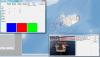
Seems it was Convoy night on #harpgamer. I played thru and achieved total victory with few losses. The air forces took the biggest beating and the surface forces were lucky to get away with very small losses. No changes suggested by me for this one. To make a Red version some bombers should probably be removed.
-
I took SAGa Blue for a spin last night/this morning. I got slaughtered and the entire convoy was sunk before 36 hours had elapsed. I was unable to stop the Red carrier group/SAG (it started farther South than the Oberon group, Trafalgar was sunk trying to get into position, and the SAG turned just when I was close to position for the LA sub to get em. Seeing as the SAG was doing 32 kts I couldn't reposition in time). In the air I didn't even manage parity but was pretty close. My few successes were getting TLAM thru to Orland to do 27% damage or so, using Nimrod as AWACs, and taking down 4 Flankers with Harriers. Overall I must say it was fun and didn't take forever to play. I usually hate to lose in HC but it was okay this time for some reason.
-
HCE - 2008.058 ============== - Chg:0000 SE Tweaked the shortening of information in installation, ship, plane, submarine listboxes so that more of the country is visible. If needed to fit all of the entries in the list box the SE will do in the following order only what is needed 1. Trim up to 4 characters off of the side name, leaving a minimum of four characters 2. Trim up to 8 characters off of the country name, leaving a minimum of eight characters 3. Trim up to 34 characters off of the class name, leaving a minimum of fourteen characters.
-
HCE - 2008.058 ============== - Chg:0000 SE Tweaked the shortening of information in installation, ship, plane, submarine listboxes so that more of the country is visible. Test for crashing, and for sanity.
-
2008.058 SE has modified behavior. If needed to fit all of the entries in the list box the SE will do in the following order only what is needed 1. Trim up to 4 characters off of the side name, leaving a minimum of four characters 2. Trim up to 8 characters off of the country name, leaving a minimum of eight characters 3. Trim up to 34 characters off of the class name, leaving a minimum of fourteen characters.
-
-
Let's hope it is gone from HG anyway There was a second problem too, the captcha (the funny image you have to grab letters and numbers from) apparently could be skipped if you knew how. That is now straightened out too. I hope that's all the flaws for one day!
-
I bet you thought this was another porn spambot post, shame on you! If you happened across the attack in progress against us today and weren't satisfied with the quality of naked females, we apologize. As a measure of protecting you from poor porn we've applied a one line security update to prevent a SQL injection attack that may be to blame for the antics today. Your truly dropped the ball and didn't notice it since it wasn't released as a patch by Invision, just a news announcement . Once again, please accept our apologies.
-
Thank you for the update.
-
Hi Pat, Yes, all of the custom battlesets still work in this version as well as the alternate databases. In other words, yes, what you plan will work.
-
Matrix has released 2008.044 as a non-beta patch. Read about it and grab it from http://www.matrixgames.com/news/534/Larry....tion.Is.Updated If you already have the 2008.044 beta there is no need to re-download as you already have the proper files. As usual we're already hard at work on the next patch. Some of the highlights of the 2008.044 patch are: 2008.025 to 2008.044 Changes: New Features: • BattleSet Builder - Databases may now be embedded in user BattleSets, to distribute a map, scenarios, and database in one package the user need only distribute two files. • Split most sounds for the game into individual wav files enabling the user to customize the sounds. • Split many game graphics for the game into individual bitmap files, enabling the user to customize the look of the game. • Submarines and ships will now become more noisy on sonar as their level of damage increases. • When user clicks and sees a distance on the status bar the water depth at the clicked location will also be shown. • New splash screens upon game startup! • Added a shell Caribbean Basin BattleSet. We look forward to adding scenarios crafted by users over the next few releases. • Added a shell South Atlantic BattleSet • Added a shell South Africa BattleSet • Added a shell Middle East BattleSet • Updated HCDB database Aircraft: A-50E – India E-6A Mercury – USA E-6B Mercury – USA Eurofighter – Germany Eurofighter – Italy Eurofighter – Spain H-6DU Badger - China H-6M Badger – China H-6U Badger – China HD-5 Beagle – China Il-78MKI – India Il-80 Maxdome – Russia KC-45A – USA ScanEagle Block D – USA Su-25SM Frogfoot C – Russia Typhoon F2 – UK Y-8EW – China Ships: Albion LPD – UK Atago DDG - Japan Atago (BMD) DDG - Japan Bartolomeu (M class) FF - Portugal Berrio (Rover) AOR – Portugal Canberra LHD – Australia Cheng Kung mod FFG – Taiwan Dajiang ASR – China Dalang (Type 922) ASR – China Dolores Chouest ASR – USA Dongdiao AGI – China Flyvefisken (C-FLEX) PTM - Denmark Flyvefisken (Lith) PTM – Lithuania Fuchi AOR – China Fuxianhu AFS – China Gorshkov (22350) FFG – Russia Hobart (F100) DDG – Australia Houbei (Type 022) PTM – China Hsiung Feng III Bty – Taiwan Hyuga CVH – Japan Invincible AGM – USA Juan Carlos I (BPE) LHD – Spain Kellie Chouest ASR - USA L'Audacieuse (P400) OPV – France LNG carrier – Intl Observation Island AGM – USA SAM SLAMRAAM-ER Bty – Intl SAM Starstreak Team – Intl Seehund MCM – Germany Stalwart AGOS – USA Svalbard OPV – Norway Tug (ocean going) ATF – Intl Type 143 (Tunisia) PTM – Tunisia Type 143A Gepard (83) PTM – FRG Type 352 Ensdorf MCM – Germany Victorious AGOS – USA Xiangyanghong AGOR – China Yuanwang (Type 718) AGM – China Yuzhao (Type 071) LPD – China Zumwalt DDG - USA Submarines: Trafalgar (UFP) SSN – UK Trafalgar (1983) SSN – UK Tridente (Type 209PN) SS – Portugal Triumph (1991) SSN – UK Bug Fixes/Workarounds: • Crash Fixed - Using PicIDs above a certain limit could crash the GE or SE when using the Platform Display. The limits have been lifted and thousands of platform photos should now be possible. • Crash Fixed - Game will no longer crash when a BattleSet has no scenarios. This would happen with user created BattleSets on occasion. • Crash Fixed - When going from a BattleSet with 9 scenarios to one with fewer scenarios (say 6), the game could crash. This has been remedied. • Crash Fixed - Occasionally when a torpedo attack was being resolved the game would crash. This occured if the torpedo annex wasn't loaded when information was requested from the torpedo annex. • Fix - Planes now will not try to fire cannon when outside one AAM range and within the minimum range of the next AAM. The player is now prompted to close range to the closer AAM or extend range to the longer ranged AAM. • Fix - For pre-commondb BattleSets, play prop launch sound only when propulsion type == 1. This prevents the E-2 and such from sounding like jets in legacy BattleSets. • Fix - EC2003 IOPG Scenario 5.0 Victory Conditions fixed, AOE ship type changed to MPS. • Fix - WestPac 2.0 Blue paths will no longer result in grounded units as long as players stop each group at the end of its path. • Fix - WestPac 2.0 Victory Conditions are now possible to achieve. • Fix - The Orders Writer will now prompt the user to put text in each tab if they have not done so. This prevents losing precious work without warning. • Fix - The BS Builder now does a better job of creating the smaller bitmaps from the large maptif image allowing the use of more varied source TIF files such as CleanTopo2 (http://harpgamer.com/harpforum/index.php?autocom=downloads&showfile=268) • Fix - Removed the depth check that prevents submarines from firing missiles at Shallow or higher. • Fix - Allow more than 255 names per platform in the Platform Editor. This is good for AAA and SAM installations, not to mention other ground units. • Fix - Calculating distances when two units were in the same location was giving spurious results (like large negative ranges...), fixed. • Fix - Game could enter an endless loop when an intercept's target unit became undetected or otherwise removed from play. • Fix - Partial fix for an inability to fire ARMs at child units of a group whose central unit is not radiating. The player can now fire ARMs at the other units in the group that are still radiating. • Fix - Widened game clock time display in status bar and made the width dependent upon screen DPI. • Fix - Group icons will no longer run away from the range circles for the group... • Note - BS Builder BattleSets may now contain 21 scenarios, the previous limit was 12.
-
Yes, actually this is a great task for one of you Look in your Graphics subdirectory of HCE and you'll find GR_ICONS.BMP. Now look in the UnitWin\UnitIcons subdirectory, you'll see that the UnitWin\UnitIcons are just pieces chopped out of GR_ICONS.BMP. What you can do to help me is chop up the NTDS symbols in the same fashion. They should each end up being 16 x 16 pixels. As for naming, if the stylized one is named HR.bmp (Helicopter, Red), name the NTDS one tHR.bmp (tactical display, Helicopter, Red). Aircraft carrier will be tCB.bmp (tactical display, Carrier, Blue). That will save me the effort of needing to do that, I'll write the code that makes use of them
-
Okay, new build of the installer is on the second post of the thread. Not actually much reason to grab it yet, I haven't had a chance to revise USNI #2 SAGa yet due to the problems found in the SE. Maybe tomorrow or Wednesday for the next.
-
HCE - 2008.057 ============== - Chg:0000 SE In all previous SE releases when a LR air attack/ferry/patrol was deleted, any repeat event associated with that event was not deleted. In other words until this build it was impossible to fully delete a Long Range air event. The repeat events now show in the orders display for the launching platform. Editing the repeat events may cause problems, only delete them or leave them alone, do not try to edit them. (thanks TonyE) - Chg:0000 SE When using repeating LR air events the repeat interval started counting from game load instead of counting from the first planned launch of the patrol. Example... LR Air patrol to launch at 2 hours game time, set to repeat every hour. What happened in previous builds is the repeat would launch after 1 hour of game time, at 2 hours game time the next repeat AND the original patrol launched. This has been changed so that after 2 hours game time the original patrol launches, after 3 hours game time the repeat launches, repeats then contuining at 1 hour intervals. **NOTE** This changed behavior will only work for new scenarios or scenarios that have their LR air events deleted and re-created. (thanks TonyE)
-
HCE - 2008.057 ============== - Chg:0000 SE In all previous SE releases when a LR air attack/ferry/patrol was deleted, any repeat event associated with that event was not deleted. In other words until this build it was impossible to fully delete a Long Range air event. The repeat events now show in the orders display for the launching platform. Editing the repeat events may cause problems, only delete them or leave them alone, do not try to edit them. (thanks TonyE) - Chg:0000 SE When using repeating LR air events the repeat interval started counting from game load instead of counting from the first planned launch of the patrol. Example... LR Air patrol to launch at 2 hours game time, set to repeat every hour. What happened in previous builds is the repeat would launch after 1 hour of game time, at 2 hours game time the next repeat AND the original patrol launched. This has been changed so that after 2 hours game time the original patrol launches, after 3 hours game time the repeat launches, repeats then contuining at 1 hour intervals. **NOTE** This changed behavior will only work for new scenarios or scenarios that have their LR air events deleted and re-created. (thanks TonyE) ack, talk about horrible bugs! Please test, post your test scenarios for others to double check. Even though the first item says not to edit the repeat events, try it, what happens when you run the scen? What happens next time you try to edit that event?
-
USNI #2 SAGa Blue Side To Do: 1. Make Red bomber actions delay, my intention was for most of their actions to start after 24 hours of game time but they are flying right from scen start. 2. Give Blue side TLAM strikes instead of letting them go to waste. PS, I'll throw up a build sometime this week for the rest of you to test/help out.