



Thank for visiting and just by doing that, supporting HarpGamer! The next step is to actively participate in the discussion. Past that, help further the games by reporting issues, posting scenarios, and digging deeper into becoming a better tester or even developing add-ons for the games.
Thank you again and Happy Harpooning!
Posts
-
Ukraine has joined a NATO procurement partnership that lets Ukrainian defense companies bid for contracts issued by the alliance’s main buying agency, the NATO Support and Procurement Agency announced on Oct. 22, 2026. Ukraine is now the seventh member of the agency’s Security Cooperation Support Partnership, alongside Belgium, Luxembourg, Norway, Sweden, the United Kingdom and […]View the full article
-
A missile strike likely hit the Proton plant in the Russian city of Orel, a manufacturer of optoelectronic equipment whose components are used in Russia’s Iskander-M ballistic missiles, Pantsir-S1 air defense systems and Kh-71 cruise missiles, according to the monitoring channel Exilenova+. Local authorities declared an aviation and missile danger alert in Orel during the […]View the full article
-
British defense technology company Stratonex Defence Technologies is developing a range of unmanned ground vehicles, tactical drones, counter-drone systems and military mobility platforms, with a focus on reducing the exposure of personnel to battlefield threats. The company’s VARAN unmanned ground vehicle is among its central projects. The platform has undergone initial mobility and remote-control testing, […]View the full article
-
When will fate call you? What will you do?
Will you take action on your own, or wait for someone to tell you to act?
Remember the first terrorist attack at the shopping mall in Kenya back in 2013? Well, in 2019 there was another, when a member of the British SAS probably saved hundreds because…it was the right thing to do to run towards the gunfire.
I give you a man known by his nom de guerre: Christian Craighead,
The Attack: On the afternoon of January 15, 2019, five Al-Shabaab militants stormed the DusitD2 hotel and shopping complex using suicide bombings, grenades, and automatic rifles, killing 21 civilians and 1 General Service Unit (GSU) officer.
The Man: Stationed in Kenya to train local forces, Craighead was off-duty when he learned of the attack from a friend. He drove to the scene in his pickup truck armed with combat gear, a rifle, and a pistol.
The Moment: Entering the complex initially on his own—and later coordinating with Kenyan police, security units, and allied personnel—he helped evacuate hundreds of civilians, cleared buildings floor-by-floor, and engaged the gunmen through a multi-hour standoff.
Aftermath & Honors: Craighead was awarded the Conspicuous Gallantry Cross (CGC) by the British military for his bravery.
Of note, go to the 25-minute mark of the video below to hear how he was received in the USA in 2019…and look at what his own nation is doing to him...just because he wants to write a book about what was seen by everyone as it took place.
For some reason, the UK government hates its best. On top of going after geriatric SAS on trumped-up charges related to decades old “Troubles” issues, and now this.
FFS…there is nothing classified about what he did. It was all open source. This stinks of bureaucratic mindlessness and spite.
That is from 2023, and it still has not been approved for publication in the UK.
The good news is the USA fought for its independence from the UK, so his book, One Man In: The Explosive Firsthand Account of the Lone Special-Ops Commando Who Fought Off a Major Terrorist Attack in Kenya, was published here last month.
Craighead, however, is still under considerable legal jeopardy for publishing it.
His American publisher, Simon & Schuster, is largely protected. America’s First Amendment protections and a law called the SPEECH Act make foreign libel judgments or censorship orders (like a British MOD injunction) unenforceable in US courts unless they pass strict American constitutional standards.
Freedom wins.
Is Craighead in the UK now, or has he moved over here? What will happen to him should he return to the UK?
No idea…but what I do know is that the SAS develops unique men.
In Kenya and against bureaucratic pig-headedness and envy—Fullbore.
h/t W.
This Substack is reader-supported. To receive new posts and support my work, consider becoming a free or paid subscriber.
Share
Leave a comment
View the full article -
Denmark will buy Anthem ground-launched cruise missiles from U.S. defense company Covenant Industries, giving the Danish military its first land-based option for striking targets deep inside enemy territory, the Danish Ministry of Defense announced on Oct. 22, 2026. The ministry said the purchase is meant to strengthen Denmark’s national and collective deterrence, describing the new […]View the full article

Top Downloads
-
China Submarine Exit to West Pacific
For Classic Harpoon version 2025.025, Westpac Battleset and HCDB2 170909 Database There's two hypothesis for this fictitious scenario: First, a change in USA focus and deployments has left no USN forces in the West Pacific region other than a sole SSN that is in transit after maintenance at HMAS Stirling, Western Australia. Second, internal Taiwanese political change has led to a swift change in status with PRC who now have use of Taiwanese facilities and have announced a f- 7 Downloads
-
Another Senkaku crisis. July 2024. Hypothetical Scenario.
Another Senkaku crisis. July 2024. Hypothetical Scenario. A Harpoon Commander's Edition scenario for the Western Pacific WesPac Battleset and the HCDB2-170909 (or later) 1980-2025 era Platform Database. This scenario is designed with Advanced Scenario Editor Build 2017.013 and to be run with HCE 2015.008+ or later. This scenario is designed to be played from the Blue/Japanese side or from the Red/Chinese side. You should play a few times first the Blue side to avoid spoilers, and only later play- 7 Downloads
-
Cold War Christmas in Taiwan
This scenario is written to be played with harpoon classic version 2022.027 or newer. To be played in Westpac Battleset using custom database HCCW-140314. Scenario Background: Its a few days before christmas in a fictional 1964. There has been a continous close co operation between USSR and the Peoples Republic of China (PRC). Pressure in other locations and internal political change has lead to a significant withdrawal of USA forces from the South East Asian area, although a reta- 5 Downloads
-
HCDB-250724 (1980-2015 era)
HCDB-250724 This is the latest release version of the HCDB, the official database for Harpoon Commander's Edition. The HCE BattleSet scenarios will function with this database installed. The HCDB adheres to a policy of adding platforms but not deleting to retain backwards compatibility with all HCDB scenarios. Unzip this file into your HCE main directory. It will overwrite your existing 'commondb.res' file. Copyright @ 2006-2015, Brad Leyte. HCDB database content is lice- 5 Downloads
-
Coral Sea 25
Coral Sea 2025 Stop the Chinese advance with a scratch team. The title is "Coral Sea", however this may play out more like ADBA in February of 1942, which was a disaster for the Allies. Your results may vary. Uses Build 2023.11 or newer. Duck.- 4 Downloads


SHIMOKITAandIZAKUCHI2002.thumb.jpg.376aed7b5ac0d760028a44fdeafa5540.jpg)

_underway_c1962.thumb.jpg.58bdde6de7eb5356be493255f4258268.jpg)


-
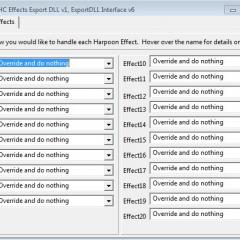
ExportDLL - lazHCEffects
This ExportDLL allows you to disable one or more of the Harpoon Effects processing items. These are the main procedures in the game loop such as MoveUnits, Search, Submarine AI, etc. Installation: Extract the DLL to the ExportDLLs folder of your HC game, then restart the game. You can delete License.txt and lazHCEffects.txt. Edit the source. Use Lazarus win32. Created with Lazarus 1.4. Source code available from SVN, see the following with your favorite client: https://tarzan.tgp.net:8443/sv- 32 Downloads
-
SimPlot 2.3 for Win10
Introduction SimPlot (short for Simple Plotter) is a utility program that supports Harpoon games by automating the movement process in a graphical environment. SimPlot uses a simplified X, Y coordinate system that makes range and bearing calculations easier. North is always at the top of the screen, and the 0, 0 coordinate is the center of the "game area". Each whole number of the coordinate system represents one nautical mile. Presently, SimPlot supports the display and movement for m- 23 Downloads
-
HCDB2-170909 (1980-2025)
HCDB2-170909 This is the latest release version of the HCDB2 database for Harpoon Commander's Edition. This version replaces the previous iteration, HCDB2-170714. The legacy HCE Battleset scenarios will NOT function with this database installed. The HCDB2 will adhere to a policy of adding platforms but not deleting to retain backwards compatibility with all HCDB2 scenarios. There will be a period of time - while the HCDB2 structure is being finalized - where the above policy may be suspende- 22 Downloads
-
HCDB-250724 (1980-2015 era)
HCDB-250724 This is the latest release version of the HCDB, the official database for Harpoon Commander's Edition. The HCE BattleSet scenarios will function with this database installed. The HCDB adheres to a policy of adding platforms but not deleting to retain backwards compatibility with all HCDB scenarios. Unzip this file into your HCE main directory. It will overwrite your existing 'commondb.res' file. Copyright @ 2006-2015, Brad Leyte. HCDB database content is lice- 18 Downloads
-
SimPlot MapMaker for Win10
This is a utility program that creates maps for use in SimPlot 2.3+ Please see the included Release Notes.txt file to get started. This is a Beta release. If you find any errors or bugs, let the author know either in the Harpoon forum or on the Discord Harpoon 5 Multiplayer channel.- 14 Downloads


-
SimPlot 2.3 for Win10
Introduction SimPlot (short for Simple Plotter) is a utility program that supports Harpoon games by automating the movement process in a graphical environment. SimPlot uses a simplified X, Y coordinate system that makes range and bearing calculations easier. North is always at the top of the screen, and the 0, 0 coordinate is the center of the "game area". Each whole number of the coordinate system represents one nautical mile. Presently, SimPlot supports the display and movement for m- 274 Downloads
-
HCDB-250724 (1980-2015 era)
HCDB-250724 This is the latest release version of the HCDB, the official database for Harpoon Commander's Edition. The HCE BattleSet scenarios will function with this database installed. The HCDB adheres to a policy of adding platforms but not deleting to retain backwards compatibility with all HCDB scenarios. Unzip this file into your HCE main directory. It will overwrite your existing 'commondb.res' file. Copyright @ 2006-2015, Brad Leyte. HCDB database content is lice- 198 Downloads
-
HCCW-140314 (1950-75 era)
HCCW-140314 by Brad Leyte (replaces the earlier version, HCCW-140220) The HCCW (Harpoon Commander's Edition 'Cold War' Database) is a custom database for the period 1950-75. The stock HCE scenarios for EC2003 and Westpac will NOT function with this database installed. Use the stock HCE 'commondb.rsr' to ensure platform pic compatibility. The HCCW adheres to a policy of adding platforms but not deleting to retain backwards compatibility with all HCCW scenarios. Copyright @ 201- 178 Downloads
-
HCDB2-170909 (1980-2025)
HCDB2-170909 This is the latest release version of the HCDB2 database for Harpoon Commander's Edition. This version replaces the previous iteration, HCDB2-170714. The legacy HCE Battleset scenarios will NOT function with this database installed. The HCDB2 will adhere to a policy of adding platforms but not deleting to retain backwards compatibility with all HCDB2 scenarios. There will be a period of time - while the HCDB2 structure is being finalized - where the above policy may be suspende- 138 Downloads
-
SimPlot MapMaker for Win10
This is a utility program that creates maps for use in SimPlot 2.3+ Please see the included Release Notes.txt file to get started. This is a Beta release. If you find any errors or bugs, let the author know either in the Harpoon forum or on the Discord Harpoon 5 Multiplayer channel.- 116 Downloads
-
HCDB-250724 (1980-2015 era)
HCDB-250724 This is the latest release version of the HCDB, the official database for Harpoon Commander's Edition. The HCE BattleSet scenarios will function with this database installed. The HCDB adheres to a policy of adding platforms but not deleting to retain backwards compatibility with all HCDB scenarios. Unzip this file into your HCE main directory. It will overwrite your existing 'commondb.res' file. Copyright @ 2006-2015, Brad Leyte. HCDB database content is lice- 17,909 Downloads
-
South Africa with included DB
South Africa A Battleset for Harpoon Classic Commander´s Edition Written by Réne Haar and Ralf Koelbach It is 1988. South Africa is still governed by President Botha, who symbolizes the Apartheid-Regime. The country is shaken by riots and the state of emergency is declared. South Africa´s neighbours are waiting for a chance to overthrow the Apartheid-Regime in Pretoria. Meanwhile the Glasnost Era between the US and the USSR ends abruptly: few days after the Moscow Summit in May/June- 10,446 Downloads
-
HCCW-140314 (1950-75 era)
HCCW-140314 by Brad Leyte (replaces the earlier version, HCCW-140220) The HCCW (Harpoon Commander's Edition 'Cold War' Database) is a custom database for the period 1950-75. The stock HCE scenarios for EC2003 and Westpac will NOT function with this database installed. Use the stock HCE 'commondb.rsr' to ensure platform pic compatibility. The HCCW adheres to a policy of adding platforms but not deleting to retain backwards compatibility with all HCCW scenarios. Copyright @ 201- 4,728 Downloads
-
HCDB2-170909 (1980-2025)
HCDB2-170909 This is the latest release version of the HCDB2 database for Harpoon Commander's Edition. This version replaces the previous iteration, HCDB2-170714. The legacy HCE Battleset scenarios will NOT function with this database installed. The HCDB2 will adhere to a policy of adding platforms but not deleting to retain backwards compatibility with all HCDB2 scenarios. There will be a period of time - while the HCDB2 structure is being finalized - where the above policy may be suspende- 4,544 Downloads
-
HUD4 v1.3.2
The newest iteration of the HUD4. Adds new platforms and squashes a few issues- 4,207 Downloads


Who's Online (See full list)
- There are no registered users currently online