




Akula
HC3Posters
-
Joined
-
Last visited
Everything posted by Akula
-
My results thus far have been strange. Basically, none of the ships even made the slightest attempt to reposition after several simluated hours. They stayed in their starting positions relative to the fleet, with complete disreguard to formation editor zone size. Changing speed had no effect. Re-ordering the patrol zones has no effect. Another thing I noticed was that the ships did not even start the scenario in the places I had ordered in the SE prior to saving. The maintained a set distance between the ships. Note that I used a group of all destroyers to make the group, is it possible that each ship class has a minimum distance it wants to stay away from the main body? I have no answers and will post to Mantis: http://mantis.advancedgaming.biz/view.php?id=2401
-
Will do.
-
Hmm, this seems very odd. Does it do this with any ships, or only in certain Battlesets? I'll check with a new build scenario and see if it happens that way as well. Just wonder if it's not the resizing causing the problems.
-
Hmm, kinda get the fealing that is a hint Reported to Mantis: http://mantis.advancedgaming.biz/view.php?id=2384
-
This sounds similar to the problem with the Sea Target Capable SAMs, in that the AI tries to use inappropriate weapons at inappropriate times. Basically I think the AI will fire on any target in range that matches its weapons capabilities, despite it being a very bad idea to try it.
-
Does simply clearing and making a new course fix it as well? It is certainly a strange behavior. Also, if the group was launched as a patrol, by default the group will go to loiter at its first WP, you will have to clear it and reset to prevent that. The patrol launch over-rides any course you add past the patrol point, you have to clear it to keep it from going to loiter, in my experience.
-
So basically you are creating a group with no units, correct? This is a known issue in the release version, I will test it with the current build this evening. Confirmed, and report to mantis: http://mantis.advancedgaming.biz/view.php?id=2377
-
Confirmed in 2007.032 When under attack by ground forces, the base can launch many more aircraft than exist. Report to Mantis: http://mantis.advancedgaming.biz/view.php?id=2374
-
Annoying for sure, they shoudl at least go to the target area and loiter when ordered to continue searching. Report to Mantis: http://mantis.advancedgaming.biz/view.php?id=2373
-
Confirmed in 2007.032 Report to Mantis: http://mantis.advancedgaming.biz/view.php?id=2372
-
This issue appears to be resovled in 2007.032
-
Only thing I could add would be a way to check for groups with no units in the SE to cut down on what is probably the #1 reason for user scenario CTD.
-
Actually, this thread should probably be locked since the CTD has now been resolved. I'll have a working scenario to post in a few days.
-
Confirmed. Entered into Mantis 120307 http://www.advancedgaming.biz/mantis/view.php?id=2367
-
Confirmed, neutrals do not have a sink pic assigned to them. Wouldn't be surprised if it is the same for surface units too. Reported to Mantis 120307 http://www.advancedgaming.biz/mantis/view.php?id=2367
-
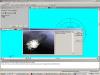
OK, I can confirm that in the current version of the GE, I am getting a sinking sub pic. Seems this issue will be resolved with the first patch then. I've attached a pic of it working on my copy.
 In that case, perhaps it is safe to assume that the problem as been fixed by one of the beta patches? I made several tries last night and could not produce the errors.I was unable to reproduce these errors with a new game and my current beta build. If you can consistantly reproduce it, would it be possible for you to get a save game that is close to the time that it happens and post it up? That way I can be sure if I can reproduce it or not.I can give it a try, and hopefully it'll slow down after a bit.TonyE, CTD for me, see what it does for you. Edit: Attatchment removed since the issue is resolved and scen in the .zip was broken.Got a chance to give this one a run last night. I never made contact before having one skipjack sunk and the game ending in a draw. I'm gonna have to say the time may be a bit too short (never really got to run a search pattern), and the blue units aren't up to the task. I will give it another try tonight and see if I get different results.Tony, Sorry, man, with all that's been going on here, this one slipped my mind. After much flail with my monitor settings, I resolved this mess myself. I don't know about anyone else, but I do not like Vista. Since I got it, I've had video problems, compatibility problems of all kinds, it decided my scanner was a virus, and various other idiotic things. At least I got the help system problem resolved before installing the latest Harpoon download, or I would have had those problems like some of the other users have reported. Buddha I had to deal with that on one computer at work we ordered new. In short order I formatted the HD and put a copy of XP on it and solved ALL my conflict issues. So no, you aren't the only one who hates Vista...I think its more rare to find someone who actually likes it.Still unable to allocate the total number of shots I want fired. I can only allocate the number of mounts I want firing.And with the major constuction of our new office out of the way, and us planning to be moved in by the end of the week, I should be around a whole lot more from this point forward. Thanks for understanding about my prolonged absence. The new office will be so very, very nice though.

