




donaldseadog
Members
-
Joined
-
Last visited
Everything posted by donaldseadog
-
Neutrals are still neutered <g> so those things are not yet possible. Much of the plumbing is there though via the Sides structure (which will eventually allow Red and Blue to team up against Green, and the Red to get mad at Blue and break the alliance). But that's so amazingly far down the road I hesitate to mention it! No mention it, I'm jumping in anticipation. Its good to know where things are going to keep inspiration on the boil.
-
Item 2 tested and seems to have been overcome, no crashes now, and the game seems to run more swiftly. Not sure if a bug but AI attack planes seem to love to loiter over targets attacked but not destroyed. Confirm (1) Alt t key working as normal. (3) I have had the crash but confirm can not duplicate the crash in 2010.010. New problem: When starting from 'Launcher' (what other way is there!!) if the player option is set (different player to previous game) while the player is updated the number one window is unchanged from the previous game. Generally game seems quite stable now, only need unit window info and seems quite playable. Don
-
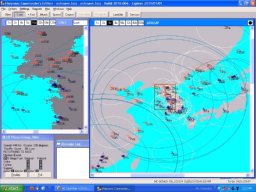 Looking at the 1955 era around the Korean Peninsula and supposing USA weren't active participants. Brits, Canadians, French and Australian forces reinforce the South Koreans while USSR and China openly support North Korea. Uses custom data base from René Haar/Enrique Mas (get it from the database download folder, add the associated "PfDatafiles for HC-xxtoxx-DB" for extra unit information/ graphics). A lot of air combat but you need to get your naval units working (and protected) in order to achieve victory.
 -
File Name: Korea without USA (HC 50-65 BS) File Submitter: donaldseadog File Submitted: 28 Oct 2010 File Updated: 5 Feb 2011 File Category: WestPac DB Used: HC_50to65__DB_101024 Authors: Don Thomas Battleset-WPac: .scq - WPac - WestPac Looking at the 1955 era around the Korean Peninsula and supposing USA weren't active participants. Brits, Canadians, French and Australian forces reinforce the South Koreans while USSR and China openly support North Korea. Uses custom data base from René Haar/Enrique Mas (get it from the database download folder, add the associated "PfDatafiles for HC-xxtoxx-DB" for extra unit information/ graphics). A lot of air combat but you need to get your naval units working (and protected) in order to achieve victory. Click here to download this file
-
An alternative to CV32's advice (alternative. not better just different) is to use Tony E's game launcher that you can download form this site (downloads-classic-tools/mods/docs). The launcher has all sorts of tweeky settings you can make before starting the game, and one of them is the database. This lets yo put your data bases in respective folders (each with descriptive name) or as descriptively named database files in a single database folder. Any problems using the launcher just give a holla.
-
Problem with distorted formation grid (F4 command) and lack of indication (by yellowing of sectors) for units in formation.

-
(A) confirm unit window shows perspective of active window designated side. (B ) confirm save works and reloads (in '.009 version), also loads and starts fine from 'launcher'. (C ) confirm can play from green side (could do this previously from 'launcher', can now also do it from conventional start) Staff messages need a photo. INteresting watching a game played by the green side, switching from red to blue perspectives. (D) confirm no can click on groups normally no matter which side is playing and which side is clicked, works for green player too. (E) confirm in game options group window player perspectives all show up and can be changed (window 1 remains 'player')
-
Not yet run '.009 but a comment from '.008 (which is running fairly stable): We need to think about how group windows refocus upon issuing a command (attack, formation, course etc) or when selecting a group from a notification window (new contact..). Currently it seems like all windows (or both blue at least) refocus to the selected group. For a lot of things windows don't refocus (when the group window would have in 'old' versions and I think this is good. Personally I found the loss of my focus as I changed selected groups eg by using space or backspace bar, rather annoying. Don PS having lots of fun even with crashes. (EDIT) OOps, (look a bit silly now) '.009 seems to have fixed this aspect, now focus shift is as with 'old' sinlge group window versions. Don
-
Chg:B179 - confirm radars for AEW EW and Recon aircraft subtypes all turn on radar (air and/or surface as available) at or shortly after reaching patrol point when launched on patrol mission. Don
-
attached shot shows blue unit has positively IDed Red but Red still hasn't detected blue. Great tool for analysing games. Next blue attacks red, when blue gets a hit on red the little 'explosion' on the screen seems to be over blue not red. Occurs for missile hit and gunnery hit. Also during attack blue group disappears momentarily from time to time. Don

-
Seems to crash if game saved, need to run without auto save activated. In game optioins now have settings for which group window shows which side, window one is set to player but always shows blue but I guess not yet finished as the pull down lists only have one option each. Group windows sizes and positions probably need to be saved to next game (picky picky ) Tab key will take you from a group window and bring the unit window to the 'front' but won't take you back to a group window. Don
-
confirm X button showing and working to close group windows. confirm left mouse click in strategic window re centres last group window. Also all visible group show up on strategic map,very nice confirm command bar buttons properly sized (see jpeg attach) So far more stable too. Don

-
I'm assuming not meant to be playable from red side yet, 'cause when opened to play red you can't you can't select red groups that haven't been detected by blue. Don
-
2010.009 Unit map is more sane . Should be posted Tuesday night or sooner. Only just seen '.008 beta but noticed in '.007 that it doesn't seem to play properly if loaded as red. I'll expand if '.008 is the same.(maybe I'm expecting too much at this stage? Don
-
A few things, I opened as blue side (westpac walk through-nice and simple scenario), the screen shot shows both a red and blue window. the red is "active". The unit window shows blue units which as yet have not been detected by red (I'm pretty sure). With red active the unit window doesn't show any red units not yet detected by blue (it will show the red base). When red is active the unit window doesn't seem to show what the red side really sees (here they should see red units and blue airbase but no other blue units) but instead what they can see in respect of what blue can see. Also you can't select units by mouse clicking the unit screen or by combination of keyboard 'U' and 'tab' or other keyboard shortcuts. The keyboard 'C' command now seems to be identical to keyboard 'U' and the black blob at top right of a group screen (should centre on selected group) is rather liable to crash the program but nothing else. Regarding window location from the strategy map, I use it sometimes and like the left click for group (active group?) window and right click for unit window. Early days, eh, but good work Tony Don

-
Oh dear, I can see I'm going to have to cut down on my biscuits and save for a new BIG screen Don
-
Makes me think where does one look if they want to know a countries current major military assets for the purpose of writing a current scenario? PS - A silly question, but have the government sliced their own salaries and allowances with the same 'diligence'? Don
-
Often the cause of such behavior is an empty group (a group with no units). You can open your scenario in the scenario editor and press the spacebar repeatedly to hop between groups. If one highlights that is off map or has no units try deleting the group. Rinse and repeat until the scenario loads in the game. Alternatively; send your scenario to hc3@harpgamer.com and we'll take a look to further diagnose. In the scenario editer can also use the "Misc" "analyze scenario" (ctrl Z?) function to isolate any number of trouble some items (I always find something I've botched ) Don
-
Can't help with specific data but in regards super heated steam turbine systems (common from I think WW2 till early 80's) they are very slow if caught off guard but relatively quick if the boiler room is given notice- The steam system must be kept superheated or the turbines will be pretty much be written off. That means the total energy in the steam system (inticated by pressure and temperature, critically at the exhaust of the last section of turbines) must be kept above a critical level. The energy in the steam system is a bit like momentum in a truck, slow to put in but if built up it can do a lot of work. .. So eg if steaming slowly up harbour towards coming alongside a warf (especially if no tugs) the engines are pretty well just ticking over and taking little energy out of the steam system BUT nearing the warf the boiler will be stocked up so as to put extra energy into the steam system and when the manourvering starts to come along side (an inexperienced officer at the con can use a lot of steam in this manourver) the energy is there for instant use. Same thing if eg you're about to do an alonside unrep where you've been ticking alone then go into full acceleration then come back to a cruise. If caught with pants down, the energy has to get put into the system before you can even tweek the trottle, let alone go flank. I can't remember times but certainly minutes before you really get anything happenning. Ofcourse if there is a known risk you're not going to cruise along without some buffer, ie you'll be running the steam system with a higher energy level than needed (without going over the max limits) and then if needed you can open the taps on the turbines pretty full at the same time as the boiler room punching in all your big oil nozzles to pump as much heat into the system as you can.. and the accelleration is pretty good. Don
-
For the reasons you mention (and others), I rarely use the direct 'Attack' method and almost always the 'Patrol' method instead. My aircraft rarely take a direct path to the target. Also if the group heads of on a "patrol" rather than an "attack" mission then they will pop up in the "intercept window" (assuming they have some A2A weapons), handy if some stealthy fighters pop up within A2A weapon range. Don
-
And don't forget that for both AI and player a lot of what happens such as detection and missile hits etc depends on probabilities. Some times you might sneak by undetected, sometimes not...sometimes a misisle gets by defenses and sinks your carrier, sometimes you live to drink beer in the next port... Don
-
Have had a bit of a non-harpoon fortnight, but this looks like what the doctor ordered, "let go, full steam ahead, adventure on the horizon - hippee!" Don. HooWee, I haven't yet found out what the Red side is up to but my little 500Meg ram laptop starts going v e r y s l o w. When I get to see what they've planned for me I think I might run Don
-
-
Great picture, nice looking day to be on the water. Yeh, hard to believe it is the middle of the ogen. I had more waves on my horses drinking trough today (and less sun). So is that some sort of mini rocket propelling the light line? I seem to remember from the 60's-70's a sort of 'dildo' slipped over the end of a standard rifle (SLR- 6.25 mm) for getting the light line across. I can't remember but guess a blank was loaded to lauch the 'dildo'. Don
-
Hi, you say "with the picture file, I'm adding it to the folder". I assume you mean the new commondb.rsr file, there should be a file of this name already so as with the commondb.res file you should be needing to overwrite,m is this occuring? I've used most of Rene's databases including the 'HC 80 to 95' but not had this problem (once I remember to overwrite the rsr file. (I'll run away and have a quick sqizz at the examples you quote as a problem) Also if you find the 'launcher' file (thanks to Tony) in the tools you can specify the database files (both the rsr and res) to be used with out having to do overwrites and keeping track of which files are in the main folder. {edit}I opened the scenario editor (then under the platform display function} opened the display for all of the Hermes and the russian Kirov, all OK. I used the recent '100530 version zip file. I think it should work OK and think try Tony's Launcher and/or double check you've overwritten the commondb.rsr file in the main CE folder. (re the launcher, you can use it to start the editor by overwriting the "GE Name" to wscenedt.exe, just don't select the stuff below the CDB.res and CDB.rsr file names as they don't apply) Don Thomas


