




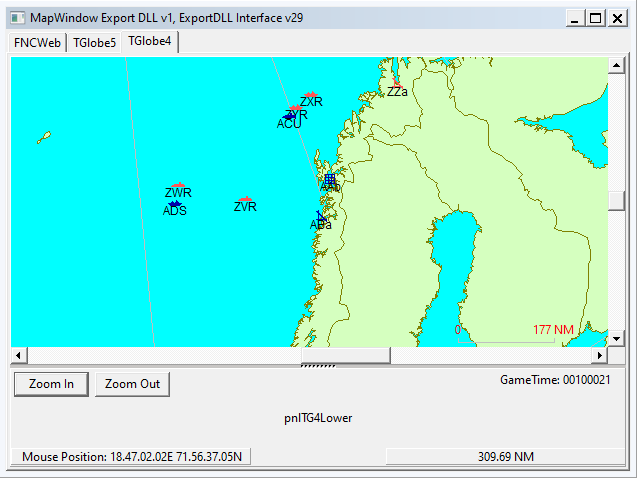
HC ExportDLL to provide a globe map interface
2022-07-07
Purpose:
To provide a globe view of the world to allow global reach during
scenarios and BattleSets.
Original Author:
Anthony Eischens
Contributors:
Compiled with:
Lazarus 4.6
Third party controls:
Stratsims OSS shared pascal code
https://tarzan.tgp.net/svn/StratsimsOSS/HC/shared/pascal/trunk
Stratsims modified TGlobe 4
License:
MIT (see License.txt)
What's New in Version 008
Released
MapWindow 20260314 2025.025+
Add Coursepoint — right-click a selected group to open a context menu
with "Add Coursepoint". Click on the map to append waypoints to the
group's course. Stay in placement mode to add multiple points; ESC
or right-click to exit. Works for groups with or without existing
course waypoints. Uncommented DLLInit callback capture (NewPtr, etc.)
to allocate PHCPathRec via HC's memory manager.
MapWindow 20260313 2025.025+
Draggable course waypoint dots — left-click drag a waypoint dot
to reposition a group's waypoint on the globe. New position is
written back into HC's PHCPathRec (DestLon/DestLat) in-place.
ESC cancels a drag in progress. Globe panning is suppressed
during drag via MouseRotateButton.
Fixed GlobalPresenters typecast — was TPolygonPresenter, should
be TPolyPresenter (index 0 is TPointPresenter, has no poly props).
Fixed OnMouseDown/OnMouseUp handler signatures — were missing the
Button: TMouseButton parameter, causing misaligned stack reads.
MapWindow 2026#### 2025.025+
Compiled with Lazarus 4.4
Incremented DLL Version to 8
Rather than clearing all groups from the map each game second, they
are now persisted on the globe and just adjusted per the changes
over the game second. This allows the selected Group to stay
selected and will vastly improve performance and over time,
usability as well.
MapWindow 2025#### 2023.001+
Compiled with Delphi 13
Added logic to determine where the DLL is located so that we can
load the country outlines layer from the right directory.
Working towards matching the group visibility (not showing, uncertain,
exact) and color/side to what you see in the native Group window.
MapWindow 2023#### 2023.001+
Incremented DLL Version to 7
Mouse wheel zooms the map in and out.
Direction indicating arrow matches group color (previously was black)
-
 1
1