TonyE
Staff Pukes
-
Joined
-
Last visited
Files posted by TonyE
-
HC ExportDLL to provide a globe map interface
2022-07-07
Purpose:
To provide a globe view of the world to allow global reach during
scenarios and BattleSets.
Original Author:
Anthony Eischens
Contributors:
Compiled with:
Lazarus 4.6
Third party controls:
Stratsims OSS shared pascal code
https://tarzan.tgp.net/svn/StratsimsOSS/HC/shared/pascal/trunk
Stratsims modified TGlobe 4
License:
MIT (see License.txt)
- 87 Downloads
Updated -
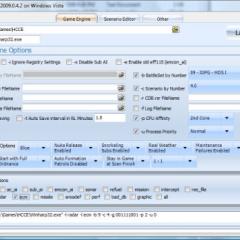
Early attempts at a launcher program, currently mainly to test command line options.
2017.001 - 2017-02-27 Added unit log option.
2014.001 - 2014-05-20 Updated to only allow selection of one player side in GE newer than 2014.001.
2013.001 - 2013-03-01 Fixed a bug where a space wasn't left after the -S command line option.
2011.012 - 2011-09-18 Added the -S interval and total saves options in accordance with 2011.012 GE
2011.011 - 2011-09-09 Added the -S command line option for iterative saving every game second in accordance with 2011.011 GE
2011.003 - 2011-04-14 Added the ability to let the local player command multiple sides in accordance with 2011.003 GE
2010.011 - 2010-11-17 Nuclear Release Enabled and Disabled should now work correctly (thanks Don Thomas). Also made some drop-down boxes not drop-down as far.
2010.006 - 2010-04-28 Saves/Loads settings via Launcher.ini file. Smarter about looking for HC. File filters added to some edit controls.
2009.042 - Initial Release
- 1,858 Downloads
Updated -
Demonstration DLL and source of the ExportDLL interface. This will be expanded as time permits, both in functionality and documentation.
Installation:
Extract the DLL to the ExportDLLs folder of your HCE game, then restart the game. You can delete License.txt and lazGUI.txt.
Edit the source. Use Lazarus 1.6+ win32.
Source code now available from SVN, see the following with your favorite client:
https://tarzan.tgp.net/svn/StratsimsOSS/HC/ExportDLLs/lazGUI/trunk
- 1,073 Downloads
Updated -
Excel spreadsheets used to help in platform editing tasks in combination with H4 Paper Rules Annex data.
Sonar Calculator Platform Workbook Fuel Calculator Sensor Performance These workbooks use macros. They were last maintained by VCDH/Dale Hillier.
The workbooks are offered up in an as-is status since they were under community maintained through November 2010. Use at your own risk.
- 30 Downloads
TonyE in Tools/DocsUpdated -
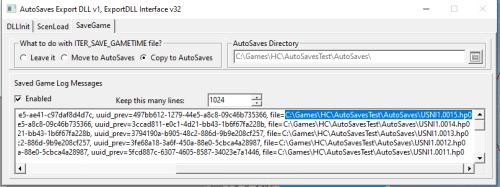
Purpose: Moves, Copies, or leaves alone each saved game file. In the move and copy cases, the saved game is moved to an AutoSaves directory immediately under the directory from which the scenario or saved game was loaded.
ex. If I load C:\Games\HC\MyOrd\Test1.SCm and have "Copy to AutoSaves" selected, when the game is saved, a copy of the saved game will be made under C:\Games\HC\MyOrd\AutoSaves\
To 'install', unzip the downloaded file to the ExportDLLs directory within your main game directory.
The window will appear once a scenario is loaded and will be behind your main HC window. This is to accommodate multi-monitor setups. You can get to it via the task bar.
- 36 Downloads
Updated -
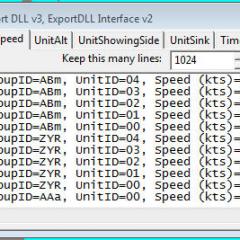
Show information about the ActUnitPtr unit.
To start, this means showing altitude, which the
HC Mini Report does not
Source code available via SVN at:
https://tarzan.tgp.net:8443/svn/StratsimsOSS/HC/ExportDLLs/ActUnitReport/trunk/
- 102 Downloads
Updated -
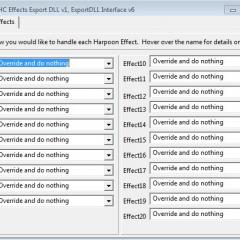
This ExportDLL allows you to disable one or more of the Harpoon Effects processing items. These are the main procedures in the game loop such as MoveUnits, Search, Submarine AI, etc.
Installation:
Extract the DLL to the ExportDLLs folder of your HC game, then restart the game. You can delete License.txt and lazHCEffects.txt.
Edit the source. Use Lazarus win32. Created with Lazarus 1.4.
Source code available from SVN, see the following with your favorite client:
https://tarzan.tgp.net:8443/svn/StratsimsOSS/HC/ExportDLLs/lazHCEffects/trunk/- 261 Downloads
Updated -
TestGroupIds 20220202 HC 2022.003+
Incremented DLL Version to 1
Initial release to create a specified number of groups
I suggest only creating groups when the time compression is set to 0. You will not see the groups in the game as they have no group types, no units, etc. The purpose of this ExportDLL is to test the group id assignment functionality and to count the groups in the running scenario.
- 16 Downloads
Updated -
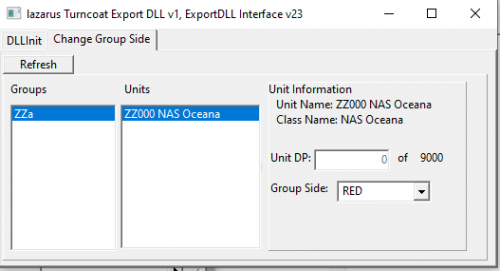
To use: Extract the files to your ExportDLLs folder then start the game. A separate window will appear. When a base/Installation is destroyed, you can refresh the list of groups on that separate window (the lazarus Turncoat window), select the group, unit, then choose the new side alignment. The unit will be undestroyed, runways re-established, and group's side changed.
HC ExportDLL for reviving destroyed Installations and switching the side to which they belong.
2020-06-10
Purpose:
for reviving destroyed Installations and potentially
switching the side to which they belong.
Original Author:
Anthony Eischens
Contributors:
Compiled with:
Lazarus 2.0.8
Third party controls:
Stratsims OSS shared pascal code
https://tarzan.tgp.net:8443/svn/StratsimsOSS/HC/shared/pascal/trunk
License:
MIT (see License.txt)
History:
lazTurncoat 20200824 HC 2020.009+
Incremented DLL Version to 1
Incremented DLL Interface version to 23
First version
The user should not switch the sides of an installation
until it is destroyed. This is to prevent orphaned Harpoon
Events and other game structures. If there is enough demand,
that limitation could be removed in the future.
- 64 Downloads
Updated -
HC ExportDLL for managing Group Ids. This overrides the GE's stock
behavior and represents a core/required ExportDLL.
2022-02-03
Purpose:
To assign Group Ids and manage the supply of Group Ids
Original Author:
Anthony Eischens
Contributors:
Compiled with:
Lazarus 2.0.8
Third party controls:
Stratsims OSS shared pascal code
https://tarzan.tgp.net/svn/StratsimsOSS/HC/shared/pascal/trunk
License:
MIT (see License.txt)
History:
GroupIdManager 20220207 HC 2022.005+
Incremented DLL Version to 2
Incremented ExportDLL Interface version minimum to 31
Assign Blue Group Ids from AA to Mz and aA to mz.
Assign Red Group Ids from Zz to NA and zz to nA.
Assign Greed Group Ids from 0A to 9z.
Recycle used Group Ids.
Note, the pools of group ids no longer overlap so
you won't see a Blue group ZZ? or a Red group AA?
GroupIdManager 202202## HC 2022.003+
Incremented DLL Version to 1
Initial release to create manage and assign Group Ids.
- 47 Downloads
Updated -
Enable instant turns in HC2017.006+. This will not clear or disable
existing gradual turns but it will make all new turns instantaneous.
Source code available via SVN at:
https://tarzan.tgp.net:8443/svn/StratsimsOSS/HC/ExportDLLs/InstaTurn/trunk/- 93 Downloads
Updated -
Enable instant climbs & dives in HC2017.006+. This will not clear or disable
existing gradual altitude changes but it will make all new altitude changes
instantaneous.
Source code available via SVN at:
https://tarzan.tgp.net:8443/svn/StratsimsOSS/HC/ExportDLLs/InstaTurn/trunk/- 117 Downloads
Updated -
***Note, HC introduced a 32-bit SE in build 2014.011. If you have the current game, there is no need for the solution described in this file***
Document showing one way to use Windows XP Mode in Windows 7 64-bit to make the Scenario Editor useable in a very integrated fashion.
The document is divided into an introduction and then three phases. If you already have Windows XP Mode and Harpoon Ultimate Edition installed you can stkip right to Phase 3.
Suggestions welcome!
- 2,643 Downloads
Updated -
Database Description:
This database is not intended to reflect reality, it is a collection of my own
imaginary platforms and those of the people around me. There will be many
versions of one of my favorite planes, the F-14, and my favorite ships,
Iowa class Battleships. Please contact sysop@tgp.net with suggestions.
*NOTE - The EC2003 & WestPac battleset scenarios will not work with this
database, only scenarios written for this database will function.
-
A database from which to start your own database.
Note: This database is provided as a framework for creating a new database from scratch. There are sample entries as needed for the PE, GE, and SE to function. The sample entries may be changed to suit your needs but they should not be deleted. The EC2003 and WestPac built-in scenarios will not work with this database. A sample scenario is included just to show that the blank DB doesn't crash the game.
2008/11/29 Filled in the list of loadout types for GE 2008.062+ as per
http://harpgamer.com/harpforum/index.php?showtopic=3262
2008/06/13 Changed the "LRMTS" flag name to "NOE - Nap of the Earth"
-
Excel spreadsheet demonstrating the radar model in recent releases of the game, minus effects for weather, line of sight, etc.
- 610 Downloads
Updated -
HC Gold Platform Design Worksheets by Joe Lanza
updated by Jan Masterson
- 454 Downloads
Updated -
- 433 Downloads
Updated -
- 819 Downloads
Updated -
MS Access based tool to compare two H3ANW databases. Older versions (i.e. 2006.02) should be used for H2 and pre-3.8.0.0 databases).
Current version (2011.02) has only been tested on H3ANW 3.10.1 with H3RE_3_10.mdb
Maintained by Tony Eischens
- 826 Downloads
TonyE in Tools/DocsUpdated -
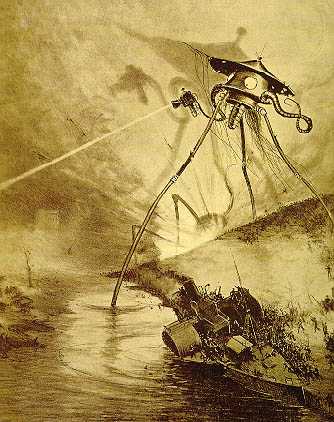
The aliens have landed in the mid 1980s!
Can the US Navy save London?
This is a very small scenario to see how to defeat a limited alien force with one of my favorite CVBGs from the late Cold War.
-
GoogleEarth.dll interface version 5, for GE 2009.042+
Runs a tiny webserver that serves a kml file to GoogleEarth on port 8183 to the local machine (and elsewhere if you do port forwarding).
Installation:
Extract ZIP with directories intact to your HC directory, the HCGoogleEarth.dll will end up in an ExportDLLs directory and a GoogleEarth directory will be created with each unit icon separated into its own file. See the Word document in the ZIP file for further instructions.
History:
01: 2007/09/28 Initial release that is HCE compatible.
02: 2009/02/10 Updated to be compatible with Google Earth 5.0. Also put subs underwater since Google Earth 5
supports that.
03: 2009/09/21 Allow connections other than LocalHost and changed from port 8180 to 8183.
04: 2009/09/22 Host unit icons at HarpGamer, further enabling connections from machines other than LocalHost
05: 2009/09/27 Implement zipping of the KML file to KMZ, results in much less network traffic.
- 763 Downloads
Updated -
I've written batch files to help in mass testing the game on autoplay/autotest. Extract them to your HCE 2009.034 or newer game directory.
The following files can be used on quad-core systems:
ap-ORIG-4core.bat
ap-HDSI-4core.bat
ap-HDSII-4core.bat
ap-HDSIII-4core.bat
ap-EC2000-4core.bat
ap-EC2003-4core.bat
ap-Wpac-4core.bat
The following files can be used on dual-core systems:
ap-ORIG-2core.bat
ap-HDSI-2core.bat
ap-HDSII-2core.bat
ap-HDSIII-2core.bat
ap-EC2000-2core.bat
ap-EC2003-2core.bat
ap-Wpac-2core.bat
If you have a single core machine then you can write your own composite batch files or run one battleset at a time by clicking that battleset's batch file, say ap-26WPac.bat.
Each scenario will output a different log file as listed in the batch file (i.e. 01-01b.txt would be battleset #1 {original GIUK} scenario #1 as played by blue side). When you see crashes, track them down and report them.
- 224 Downloads
Updated -
HCDB backfitted to earlier version of HC. Includes commondb.res that the game engine needs, and the pfData file to use with the PE.
This may work with 2003.10 as well.
Copyright @ 2009, Brad Leyte. HCDB database content is licensed under a Creative Commons Attribution-Noncommercial-No Derivative Works 3.0 Unported License. You may copy, distribute and transmit the HCDB and all or parts of its content, but not derivative works based on it without the express written permission of the author Brad Leyte. You may also adapt the HCDB database to your own needs under the terms of fair use. By doing so, you agree to fully attribute Brad Leyte as the author of the HCDB database. The HCDB database may not be used for any commercial purpose whatsoever without the express written permission of Brad Leyte.
-
A WWII BattleSet pitting US vs German units in gun battles. Thanks to CV32 for the HCWW database that is embedded in this BattleSet.
Only one scenario so far, perhaps more will follow.
Usage Instructions:
1. Unzip the contents of the file to your HCE directory then run the game. You will find the battleset towards the end of the list.
- 419 Downloads
TonyE in BattleSetsSubmitted