




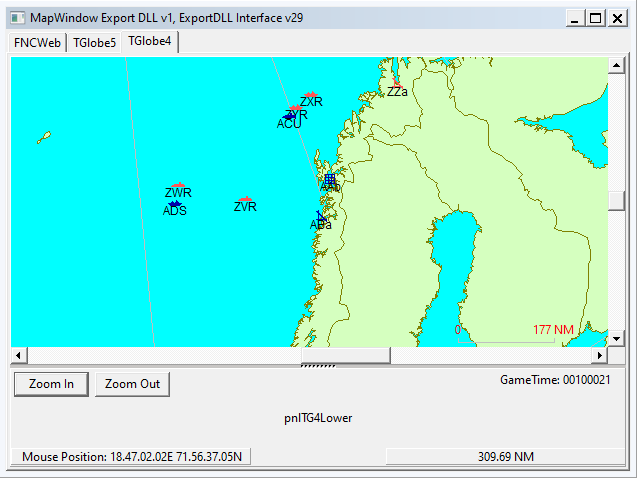
HC ExportDLL to provide a globe map interface
2022-07-07
Purpose:
To provide a globe view of the world to allow global reach during
scenarios and BattleSets.
Original Author:
Anthony Eischens
Contributors:
Compiled with:
Lazarus 4.6
Third party controls:
Stratsims OSS shared pascal code
https://tarzan.tgp.net/svn/StratsimsOSS/HC/shared/pascal/trunk
Stratsims modified TGlobe 4
License:
MIT (see License.txt)
What's New in Version 015
Released
MapWindow 20260403 2025.025+
Incremented DLL Version to 15
Sensor range rings — surface radar (green) and air radar (magenta)
range rings now draw on the globe alongside the existing ASuW (orange)
and AAW (cyan) weapon range rings. Data comes from BestSensorRange on
the group record.
Airborne endurance range rings — air range (white) and bingo range
(gray) rings now draw for aircraft groups. Data is computed during
snapshot capture using the new shared uHCEndurance unit, a Pascal
port of the GE's GetAirborneEndurance and FindClosestBase
algorithms. Annex B1 speed data and base runway compatibility are
used for accurate range and bingo fuel calculations. The DLL now
captures annex_id_to_disk_id from funcRefs in DLLInit and creates
THCAnnexHelper from AnnexDataIn in ScenLoad.
Range ring settings dialog — the per-side checkbox group has been
replaced with a "Range Rings..." button that opens a settings dialog.
The dialog provides a 6×4 grid of checkboxes (ring type × side),
matching HC's RangeCircles[ringType][side] toggle system. Ring types:
ASuW Weapon, AAW Weapon, Surf Radar, Air Radar, Air Range, Bingo Range.
-
 1
1