TEPonta
Members
-
Joined
-
Last visited
Everything posted by TEPonta
-
Thanx. I've wanted that BS Builder for as long as I can remember playing the game, hate to lose it now.
-
It's out, guys! Buddha
-
The most recent version of the BS Creator does decent logging about adding scenarios, please post up your log. It should be in he same directory as the BSBuilder.exe and is called BSBuilder.log. Current version of the BSBuilder is 2007.024. As an unrelated request, do you get any error messages when loading saved settings in the BS Builder? Not getting it here, but Rene is and would like more detail on recreating the problem. Load and save settings causing no problems here either, Tony. BTW, I just DL'd the final release from Matrix. Will the BS Builder work OK in this final release, or will it still be necessary to use the SE and GE files posted with the BS Builder? If it is necessary, it seems that backing up the files involved would be well advised. Thanx: Buddha
-
Understood, Tony. The registry conflicts I was referring to are the infuriating ones sometimes returned by Windows for no apparent logical reason, not the kind you mention that we all experience with files in multiple locations. I go through those all the time because I store Word documents in a place Bill Gates apparently doesn't agree with. That being said, I agree completely with you on comparisons between 2 versions, I just want to avoid reporting problems that are only the result of 2 versions being present. Thanx: Buddha
-
Tony, Got it , Thanx. One or two questions. Since I didn't uninstall the previous Beta, I now have 2 complete game installations in 2 separate locations. Also 2 sets of shortcuts in the same menu location. Not a problem as far as I can see, unless there are some registry conflicts I'm not aware of. Or do you recommend uninstalling all things Harpoon and simply installing the latest Beta? I did check out the new PE for any of the quirks I've been experiencing lately, and all seems OK. Also, as regards the BS Builder, is a simple install of the existing BSB download, which I already have from before, all that's necessary to install and use it, installing to the new Matrix folder of course. Thanx: Buddha
-
The Beta site lists a new DL for HCCE 2007.000 released today, but I keep getting "404:Not Found". Am I doing something wrong here? Buddha
-
Tony, Thanx, bro. That seems to have done it, although I hope I have the latest and greatest now. Making Beta reports using outdated files would certainly serve no purpose. There was, BTW, a large difference in file size between what I had and what fixed things, if that tells you anything. On another note, is anyone else having display problems with Vista? Everything is there OK, but the text boxes look a little "washed out" and difficult to read. I've tried various settings to no effect, and was wondering if anyone had found and made a note of the best ones for use under Vista. Buddha
-
-
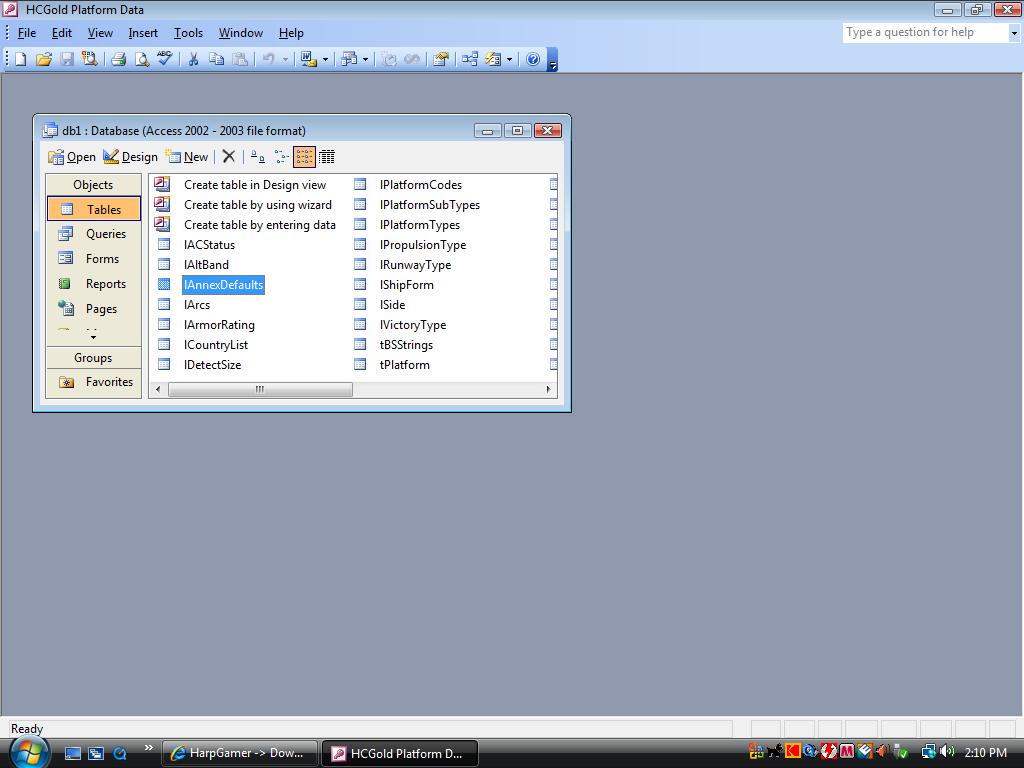
# Go to "Forms" and open the Form "Menu" this shouls open the normal screen I bet the newer office versions are casusing trouble due to higher security levels/functions. Regards René Rene, You're correct about the higher security settings, but all this requires is answering a couple of additional queries from Access to open a file. The problem I posted was actually due to another problem, which I just solved. The Harpoon folder needs 2 files for the PE. One is pfbuild2005.mdb, and the other is pfdata2005.mdb. When I replaced my dying system and upgraded to Vista in the process, all I did was go to the Beta area and download what I thought were all the necessary components, and then I got the latest pfdata file here at HarpGamer. After installing everything, I put the pfdata2005.mdb file in and attempted to open it in Access, I got the screen shot I posted. Last night I got my old system up for a while and found and copied the pfbuild2005.mdb onto my new system. I can now use a shortcut to that and all appears to be well. pfbuild still shows a linkage to pfdata2005.mdb, or whatever data.mdb you choose, so there's a required connection there that I don't really understand, not being an Acces pro. If Tony wants me to, I can post the pfbuild2005.mdb file here someplace so the next player with a problem like this can get it, or he can post it himself if he feels that's a better idea. It seems to boil down to the fact that both the build and data files are required for the PE to function, but the data file is the only one available here. If, as it appears to me, the pfdata file holds the actual platform data and the pfbuild functions as a "front door" for the PE, that would explain why only updates to the pfdata file are posted. But if you lose your pfbuild file, as I did somehow, then you have problems. Thanx: Buddha
-
Heres a screenshot of the display I get in the PE now. All the entry form data is gone.

-
Tony, The new system died and I had to have a Dell tech come out and replace the HDD, so I'm starting this whole thing over again. I seem to have all the Harpoon stuff installed again, except for the MS Access files I need in the Harpoon directory to use the PE. I thought they came with the installation, but I don't have them now. I believe all I need to do is open the MDB file in MS Access, and then import the data, but I can't find a source for the pfdata and pfbuild files to start the process. I believe those were the correct ones. This system replacement/upgrade to Vista is becoming a nightmare. I think once I get the correct mdb files, I can import the current data and all will be well. Got a URL by any chance? Thanx, Buddha
-
To go with paraphrasing a recent former US President, "...it depends what the definition of 'weeks' is..." If that's the case, please tell us what the definition of "is" is. Buddha
-
Well, the files at AGSI combined with the current files thread here pretty much make up the most recent. Any day now we'll be able to use the final installer for the release version of the game to simplify things a little bit. Some day AGSI will let me make installers using the Matrix tools, then we'll really be closer to 7th heaven (except for the annoying prompt for serial number every time you install). It's a good thing I made a note of my serial # on paper before my old system died or I would have probably had to beg Don for a reissue. Piracy being what it is, I guess I can't blame him for protecting his interests. At least with Harpoon, you deal with real people when you have a problem. Try getting assistance from MicroSoft without paying them for the privilege some time. Buddha
-
Since my system upgrade and reinstallation of all things Harpoon, I've noticed a minor problem. I recreated the Caribbean BS and saved it without any difficulty. I then used the SE to create a small Caribbean ASUW scenario, opened the BS in the BS Creator, and added it as a BS scenario. Then I ran the end edit routine. When I load Harpoon, the Caribbean BS loads OK, but the scenario doesn't appear in the window as available. It does load and play just fine as a user scenario, so playability is not diminished. I just can't figure out why it's not showing up in the BS window as a BS scenario. What did I miss here? BTW, thanx to Tony for his help in getting everything up and running again, especially the PE. Buddha
-
Tony: Thanks to your assistance, I can get into the Beta area again so I'll check for the latest DLs there and try again. Can I assume whatever I find there is the latest? My Office version is 2003, which never caused me any problems before. I still have 200 around here someplace, and I tried 2007 once and didn't care for it, so I went back to 2003. Thanx: Buddha
-
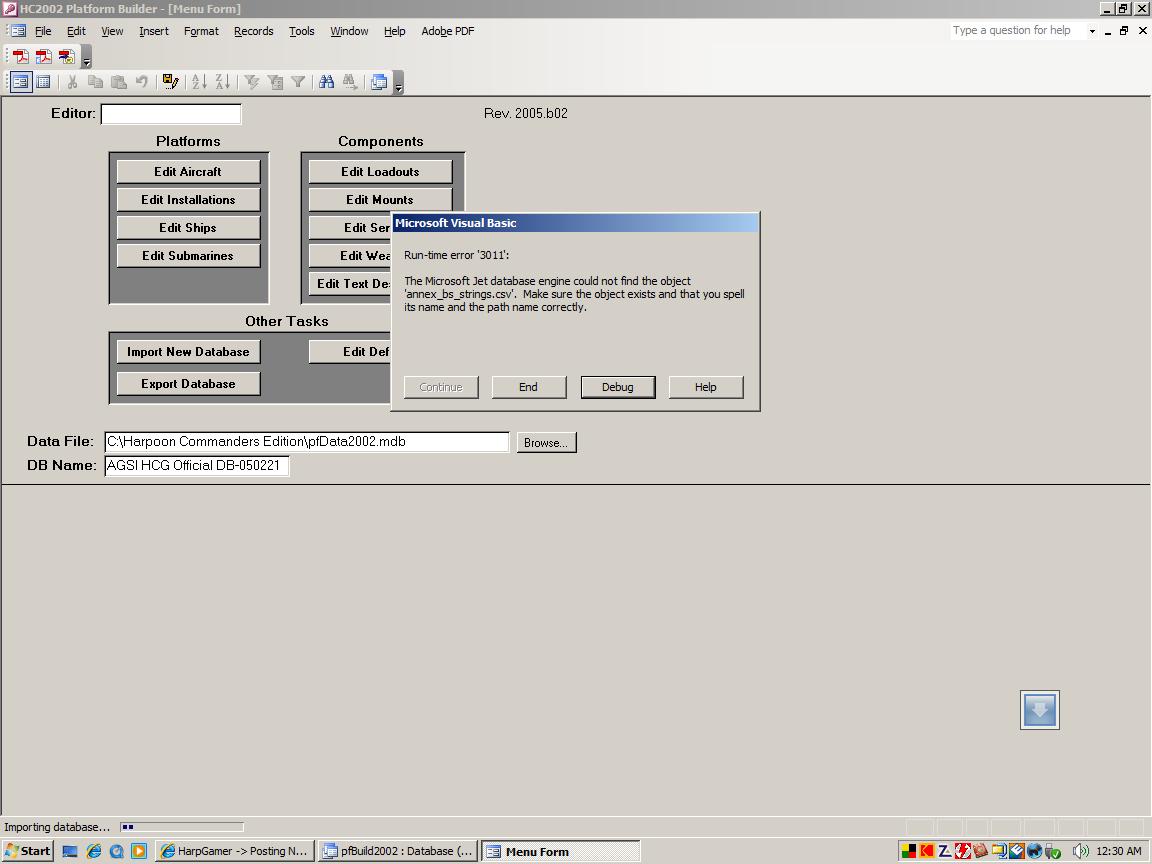
Since upgrading to Windows Vista, I've been unable to use the PE. After going through a series of security warnings in MS Access, I'm finally presented with an empty DB. My attempts to import the existing platforms into the PE for editing are totally fruitless, and met with the attached error screen, which I can't make heads or tails of. Anyone else having problems like this? If so, does anyone have any suggestions on a fix? Thanx: Buddha

-
There are a bunch of them now, one of the earlier ones is at http://www.harpoonpages.com/hcscene.htm A newer representation http://www.harpgamer.com/HARP_hc_scen-extensions.htm And another http://www.advancedgaming.biz/wiki/main/in...=HCCE:Game_Play That ought to get you started, and for now we have .SCr and .HPr for the BS Builder but that will change eventually. Thanx, Tony. I had all this stuff written down someplace, but couldn't seem to find it when I needet it, like alot of other things around here. Buddha
-
I unzipped the files to my Harpoon folder, but now I can't find the scenario available for play in any Battleset. What am I doing wrong? Buddha Just rename the *bkq - file into *.scq. Should work now under WestPac. I´ll post a modified zip anyway. That seems to have done it, thanx. Does anyone here remember where the post is that explains all the Harpoon file extexsions? Buddha
-
I unzipped the files to my Harpoon folder, but now I can't find the scenario available for play in any Battleset. What am I doing wrong? Buddha
-
-
Buddha, I think everyone forgot to elaborate on what to do for now about the 2048 limit, sorry about that. The mantra "always add, never delete" has the important connotation that you can modify existing entries. In making your own database if you don't need to guarantee compatibility with existing scenarios, you can modify installations you don't ever plan to use into ones you do plan to use. A Bejing airfield for instance may have no use in a Caribbean battleset so you could rename your Bejing installation and change any characteristics about it for use as say, Hugo Chavez Military Field #1. Does that help explain? That's basically what I wound up doing, although in my case it was an antenna site in Iceland. I figured since the ID#'s weren't messed with, I could edit description, side, location, etc. without hosing things up. So far everything seems OK. Buddha
-
We´ve tracked it down to a point that it only happens with a custom Battleset. Maybee you can test this with one of your BS? To see if it is a local problem for me or something more general Regards René Rene: At your suggestion, I tried this out with the Caribbean BS I recently created. I only have one Blue base in Florida and one Red base in Cuba so far, but I was able to add each of them to a scenario at any zoom level with no problem. The Blue base I created from scratch in the PE, and the Red one was an antenna site in Iceland before I renamed, reconfigured, and moved it. This was because I ran out of slots in the DB for facilities apparently, as I believe we discussed earlier. In any event, I didn't experience the problems you described, if that tells you anything. I hope this helps: Buddha
-
Rene, At what point did the crash occur? I opened an empty scenario in the IOPG and then added a base at Bagram for Blue, Red and Green at all available zoom levels (1x thru 64x), deleteing the base between tries, and had no problems. I didn't get as far as adding aircraft of saving the scenario as I wasn't sure how far you've gotten before you experienced the crash. Buddha
-
You don't need to use the PE at all in most cases, just make sure you have the appropriate commondb.res and commmondb.rsr files in place. For most people the PE just means more things to go wrong. Feel free to put it in the wiki but it isn't the final form so you'll be doing a lot of changing if you start now (in other words I'd say a lot of things are more deserving of wiki entries than an early beta battleset creator that will not work this way upon release). Otherwise it appears you have the procedure correct. Point taken. It appears posting something now might cause more confusion than it solves. The reason I mention the PE is that in my own case some of my scenarios contain platforms I've created, and if others have the same, the platforms won't be available without the export. Of course if no homemade platforms are involved, this step isn't necessary. Buddha
-
Befor I write up the following procedures and post them to the WIKI, I wanted to run them past you guys and make sure I'm correct. To play another member's BS and associated scenarios, do the following: Rename your HDSM.RES and HDSM.RSR files, if they exist, to preserve them. Copy the member's HDSM.RES and HDSM.rsr files to your Harpoon directory. In the PE, link to the PFData file containing the member's platforms and export. To reverse the above and return to your own BS, if you have created one: Delete or rename the member's HDSM.RES and HDSM.RSR and rename your old ones appropriately. Link to your old PFData file and export. Is this Correct? Buddha