




kmart494
Members
-
Joined
-
Last visited
Everything posted by kmart494
-
I uploaded version 0.6.0. Unit symbols are now derived from a sprite sheet instead of "hand drawn" in code. The NTDS symbol set is complete for the unit types currently available in the program. The CWS symbols are functional, but the interior icons are not yet implemented. This also means a player cannot change the colors of the icons using the Customize Colors window. Changing those color settings will still modify the movement track color, however. I am beginning a transition to using XML files for storing data. Presently, just the color file has been modified. You can delete the existing "colors.txt" file as the program will create a "colors.xml" file automatically. Later, the scenario turn files will use XML. I think this will eliminate any future need to upgrade scenario files when new features are added to the program. I fixed a bug related to map file loading for international players. Kevin
-
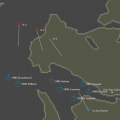 This is a high resolution map of the Falkland Islands for use with Falkland War scenarios. The map has no borders or land areas beyond the Islands proper. This allows for the placement of air or surface strike units beyond the Islands without the need for a very large map file.
 -
View File Falkland Islands Detail Map This is a high resolution map of the Falkland Islands for use with Falkland War scenarios. The map has no borders or land areas beyond the Islands proper. This allows for the placement of air or surface strike units beyond the Islands without the need for a very large map file. Submitter kmart494 Submitted 08/01/2018 Category Maps
-
I uploaded version 0.5.2 International players were having trouble with loading scenario files and losing the decimal part of numbers such as unit coordinates. I made some changes to the loading routine that I hope will solve this problem. Please let me know either way. Kevin
-
It looks like one of those gotta pay to play games.
-
I uploaded version 0.5.1. I made a few changes to better support internationalization. I hope the problem of decimal coordinates will be fixed with these changes. Please let me know if it does not. I also started to implement Bases as a unit type. There are just two bases for now: military and civilian. I will add more soon.
-
I uploaded version 0.5.0. I added a Number field to the Unit Windows that allow a player to use one icon to represent multiple vessels. If there is more than one of a given type, then the text tag and the Selected Unit panel (on the right side of the screen) will include a number x class format. For example, if the Air Unit icon represents 4 F-15 fighters, then the text tag/Selected Unit will display "4x F-15". I added a Class field to the Unit Windows that allow a player to show the specific class of the unit instead of using the Name field (that's what I had been doing all along). The Class can also be selected as a text tag separate from the unit name. I changed the way X and Y values are displayed in the Selected Unit panel. They will show at least one decimal place even if the values are integers. I am hoping this will solve the occasional problem of decimal-truncated values. More CWS symbols are now available. Some symbols only have text placeholders, but they are more descriptive than a plain symbol. The Unknown symbols are not implemented yet as I am still having trouble drawing them in code. Please note that scenario files created under previous versions of SimPlot2 will not load into this version. Please use the SimPlot File Converter program to convert any existing scenario files that you wish to continue using. The program is available in the downloads section.
-
SimPlot File Converter View File This program will convert your current SimPlot2 0.4.1 scenario files to the newer 0.5.0 standard. Most of the unit types will have Number and Class fields added, as well as new text tag on/off values. Just in case, make a backup of whatever files you want to convert. Run the program and use the button to select your file (it brings up a file chooser). The file will be loaded into the program and converted, then the new data saved to the original file. You will then be ready to use the new scenario file with SimPlot2 0.5.0, You will have to go into the modify unit window to change the Number of units value (default is 1). Also, the Class field will be blank. The program does not currently support batch file processing, so you have to convert one file at a time. The Quickstart Scenario files were converted using this program. Submitter kmart494 Submitted 06/21/2018 Category Application/Tools/Mods/Docs
-
You're welcome, David. I have a "customer survey question" for you. How did you find out about SimPlot? I wrote several articles for the Naval SITREP magazine, and Larry Bond will occasionally ask me if anyone responded based on the articles. Kevin
-
David, Thank you for the report. I see a potential problem with the txt file. The country names that need to be deleted have an error in them. There appears to be an extra "-" in place of a decimal point. Try to substitute the following: COUNTRY=ARGENTINA|-231.50|82.00 COUNTRY=CHILE|-242.50|-104.50 The X coordinate of each of these country names is fixed with the decimal. This works on my Mac.
-
There will be a delay in the next release of SimPlot2. I am going to add "Numbers" to the unit attributes so players can specify how many of a given type the symbol represents. I was using the Name field for that (e.g. add "2x" to the name). Also, a unit Class field will be added for additional clarity. I have already modified air units. There will be more icons for the CWS symbol set. Some icons are just text placeholders until I create the proper graphic. Unknown units are still not generating right so they will come later. I modified the unit display (on the right side of the screen) to include at least one decimal point in the hopes it solves the above mentioned problems. Currently, a decimal will be displayed only if there is one, and then it is truncated to 3 places (Xojo uses 6 decimal places for Double values). I am hoping to have these changes ready by next weekend.
-
DV, I was not able to replicate the problem of the missing decimal in the Selected Unit display. When I load the file, the decimal is correct. The problem of the axis number only showing an Integer value (after clicking the screen) is correct. The scale is in pixels per nautical mile. So, a scale of 1x will show 1 pixel as 1 nm. There will be no decimals displayed until you increase the scale factor. You can still have units exist at decimal locations, but they will be displayed to the nearest scaled nautical mile. I am using a new Xojo release version. Some program behaviors have changed (some good and some bad). I am on the verge of a program update anyway (to include more CWS graphics) so I will compile and release that this week. Hopefully, the new program will help. If not, let me know and I will have to try something else. Kevin
-
I uploaded version 0.4.1. Fixed--Range circle and ESM/Sonar bearing labels cause program crash at low zoom levels. Fixed--Unit heading is updated when selecting a navigation target (in the Modify Unit window). Added--"Heading Leaders". Unit heading will be displayed when Speed Leaders are enabled (using F9). The Heading Leader will show the direction of the unit when the Speed Leader is too small. The Heading Leader will draw underneath the Speed Leader. There is no separate display option for the Heading Leader. Please let me know if there are any problems.
-
The TV images of target sites appear to show buildings or bunkers that are substantial concrete structures. I can only imagine it might take multiple hits to guarantee complete or "mission kill" destruction.
-
Range Circle Problem: I think I understand what is going on. After everything is loaded, the map is redrawn. When bearing or circle labels are to be drawn, there is a routine to check for overlapping labels. If, for example, a range circle label overlaps another bearing or circle label, then the angle at which the label is drawn will be adjusted until a non-overlapping angle is found. All new or loaded scenarios have the map zoom set to minimum. This would cause small ranges to be drawn as very small circles, and the labels will compete for a place to be drawn that does not overlap each other. At such a small size, multiple circle labels may not find a place to be drawn. My debug testing reveals the program is stuck in the label draw routine. Even loading the scenario with the range circles set to off will produce the same program hang up if you turn on the circles at minimum zoom. I will work on an exit logic for the labels such that an overlap cannot always be avoided. This will at least allow the program to continue. Kevin
-
JimSB, I am glad you solved the problem. I should make it more clear that the lib folder must be in the same folder as the exe file. darthvader, Range circles are Integer value only. I did not anticipate the need for decimal values. I will start working on the other problems. Kevin
-
Yes, there is a delay in the speed leader/heading change when selecting a nav target. I ran out of time for the last update since I wanted it done before the next Naval Sitrep is published (I have an article in it announcing SimPlot 2). I will add changing that to the ToDo list.
-
I thought that changing the turn time should automatically change the speed leaders. I found myself doing it manually, so maybe others did, too? I do like your suggestion, though. For now, I recommend using F9 (Customize Display) to change the speed leader to a longer time while using a 15 second turn. The leader will change back when you change the turn time, but if you don't change the time often then the leader should stay put.
-
SimPlot User Guide View File The SimPlot User Guide is a work in progress, but there is enough here to get new players started. Submitter kmart494 Submitted 04/07/2018 Category Application/Tools/Mods/Docs
-
Updated the Quickstart scenarios to work with SimPlot version 0.4.
-
Updated CaS Plan Alpha to work with version 0.4 of SimPlot.
-
Version 0.4 is uploaded. Fixed: Now all display customization controls are saved. Deleted units are no longer "cloaked" but still selectable. All references to deleted units are eliminated from the remaining units. That will prevent Nil Object errors. Added: Navigation Targets. Selecting a Nav Target for a unit will cause it to follow the target. The following unit will stay as close to the target as possible upon reaching it. NOTE: Any scenario created before v0.4 will not work with v0.4. However, if you are playing a scenario and don't want to scrap it, then try the following: In the Player Data and Referee files, delete any line that begins with "DISPLAY=". For all movable unit types (air, surface, sub) add the following to the end of the "UNIT=" line: "|-1|None". Depending on which version you are using, the "-1" or other integer representing the unit range may be there. If so, then just add "|None".
-
Version 0.3.2 is uploaded. Fixed: Map zoom going haywire. Unit creation/modification windows not saving the right data. Added: You can now change the background map colors. Please note the map is a single layer bitmap, so the color changes are based on the existing color and not any actual layer (color replacement routine). So, if you make the land and ocean colors the same, they become as one. The only way to separate them after that is to delete the colors.txt file and restart SimPlot. This only applies to the Land, Ocean, and Border colors. Known Issues: Many! Including deleting units, which does not yet work as intended (I don't get rid of them completely, as I want it to form the basis of a turn replay feature).
-
It seems I broke the map zoom routines in the last update, but I have fixed that and I will issue a new update this weekend. Kevin
-
I need to test my file routine that (I hope) allows players to exchange files regardless of regional settings (especially for decimal separator). Below are three files: a US file with period separators, an international file with comma separators, and a mixed file with both. Tests on my US computer worked well, but I need someone from outside the US/Canada to load these files as a test. The files have three units (Red, Blue, Neutral). If you can see them plus the movement tracks, then the test is a success. Kevin EDIT: The files should be loaded as a Single Player/Referee scenario. US_turn.txt Intl_turn.txt Mixed_turn.txt

