

Skip to content
View in the app

A better way to browse. Learn more.

HarpGamer

A full-screen app on your home screen with push notifications, badges and more.

To install this app on iOS and iPadOS
  1. Tap the Share icon in Safari
  2. Scroll the menu and tap Add to Home Screen.
  3. Tap Add in the top-right corner.
To install this app on Android
  1. Tap the 3-dot menu (⋮) in the top-right corner of the browser.
  2. Tap Add to Home screen or Install app.
  3. Confirm by tapping Install.

ExportDLL - lazGUI 036

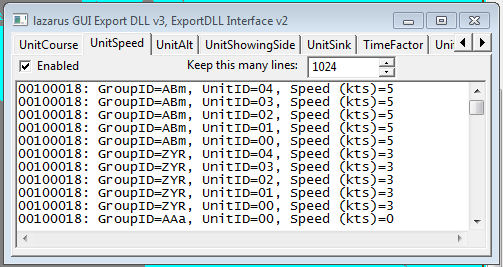
1 Screenshot

Demonstration DLL and source of the ExportDLL interface. This will be expanded as time permits, both in functionality and documentation.

Installation:
Extract the DLL to the ExportDLLs folder of your HCE game, then restart the game. You can delete License.txt and lazGUI.txt.

Edit the source. Use Lazarus 1.6+ win32.
Source code now available from SVN, see the following with your favorite client:
https://tarzan.tgp.net/svn/StratsimsOSS/HC/ExportDLLs/lazGUI/trunk

What's New in Version 031

Released

lazGUI 20250221 HC 2025.007+
 Incremented DLL Version to 31
 Incremented DLL Interface version to 39
 DBLoaded is now called twice, once when Disk
  annexes are loaded, second time  mem annexes are.
  Updated lazGUI to take that into account.

With version 031:

Account

Navigation

Search

Search

Configure browser push notifications

Chrome (Android)
  1. Tap the lock icon next to the address bar.
  2. Tap Permissions → Notifications.
  3. Adjust your preference.
Chrome (Desktop)
  1. Click the padlock icon in the address bar.
  2. Select Site settings.
  3. Find Notifications and adjust your preference.