IssueMigrator1
Members
-
Joined
-
Last visited
Everything posted by IssueMigrator1
-
Issue Information ⦁ Issue ID #000007 ⦁ Issue Type Issue ⦁ Severity 0 – None Assigned ⦁ Status 21 - Fix Coded ⦁ Version 2009.050 ⦁ Fixed in 2009.070 Planes on Carrier math problemPosted by broncepulido on 06 January 2013 - 02:09 AM I was in the modelling phase of a scenario with the old CVB-43 USS Coral Sea of the Cold War DB, with a nominal 137 (small and old) planes capacity. When I essay to load the first type of plane in the Scenario Editor, I saw the indication of maximum number of planes=65417 !!!!!!!! I say OK, but it's loaded only one plane !!! Testing with some numbers (1, 136, 137, 138, 255,256, 257, 1000, 10000) the outcome is ever the same, one plane loaded !! Issue-007-Planes-on-Carrier-math-problem.pdf


-
Issue Information ⦁ Issue ID #000010 ⦁ Issue Type Issue ⦁ Severity 0 – None Assigned ⦁ Status 21 - Fix Coded ⦁ Version 2009.075 ⦁ Fixed in 2009.076 GE Main Window doesn't remember sizePosted by TonyE on 05 March 2013 - 09:33 PM I have not implemented the saving and restoring of the main window size since I turned off the Maximize upon game launch setting. This is a reminder to set up the saving and restoring of size and checking for whether the previous size is still valid (thanks to changed font dpi, monitor resolution changes, change in # or positioning of monitors) Issue-010-GE-Main-Window-doesn't-remember-size.pdf
-
Issue Information ⦁ Issue ID #000025 ⦁ Issue Type Issue ⦁ Severity 0 – None Assigned ⦁ Status 21 - Fix Coded ⦁ Version 2009.082 ⦁ Fixed in 2009.083 Visual detection by deep subPosted by Grumble on 30 June 2013 - 02:29 AM : To Go 13:07:38:30 New contact: ZYS Slava: Slava from AHU Birmingham at a bearing of 250 degrees and a range of 39 nm Method: VISUAL Probably related to the fix in 082 Tony pointed out as: - Chg:B176 GE A platform with sonar of type active only could not detect anything. This has been fixed but the fix impacts all types of detections so thorough testing would be good. This is a larger problem as well affecting all detections. The code uses unit->emit (unit has this sensor type) and unit->detect (unit can be detected by this sensor type) inconsistently. The issue is reproducible with the HDS2 5.0 save game file attached, at To Go 13:07:38:30 AH000 SSN Birmingham (deep) detects ZY005 CG Slava. The detection is consistent with 082, does not occur with 076. Issue-025-Visual-detection-by-deep-sub.pdf deepvisual.zip VisualSonar.zip
-
Issue Information ⦁ Issue ID #000013 ⦁ Issue Type Issue ⦁ Severity 0 – None Assigned ⦁ Status 21 - Fix Coded ⦁ Version 2008.050 ⦁ Fixed in 2009.082 Can't fire ASuW at surfaced subPosted by mavfin on 05 April 2013 - 08:23 PM GE is 2009.076. Attached file is original GIUK, scenario 3. Is this caused by the old DB, or a GE issue? Under 30 miles from the US surface group is a heavily damaged Tango on the surface. However, if I try to attack with surface ships, I get the choice of Standoff ASW or Short Range ASW. No choice of missiles. Soon as a helo takes off, I'll have a hard radar lock, and should be able to finish it off. I've had other instances of this, and could air-launch antiship missiles to finish the job, but not from surface. (I'm running through GiUK scens in preparation for rewrites to CDB. Sort of re-familiarizing myself with them.) Made another test scenario, for EC2003 this time. CDB is most current. Parked a Tango at one point of a triangle. Parked a Tico Block 1 at 20 miles one direction. (No Standoff ASW, seeing if presence of it makes a diff.) Put a Spruance with Asroc at 20 miles another direction. Put a couple Seahawks on the Tico. Launched Seahawk to illuminate. Ctrl-Alt-s and forced Tango to surface. Tried attacking with ships, still asked about Standoff ASW on both ships. Took off with Seahawk armed with Hellfire. Had to manually get within range, then could fire Hellfires at sub and sink it. Issue-009-AI-Gunnery-Doesn't-Adhere-to-ROF.pdf SufraceGunTest.zip Guntest1.zip GUNTEST3.zip
-
Issue Information ⦁ Issue ID #000009 ⦁ Issue Type Issue ⦁ Severity 0 – None Assigned ⦁ Status 21 - Fix Coded ⦁ Version 2009.050 ⦁ Fixed in 2009.082 AI Gunnery Doesn't Adhere to ROFPosted by miller7219 on 05 March 2013 - 07:19 PM AI gunnery continually fires non-stop until either it runs out of ammo or target is sunk. Player gunnery adheres to the ROF properly. The AI wins every surface-to-surface gunnery duel in very quick fashion! I tested with 2009.074 too, and same result. I recall that I noticed this a few years back, but never got around to reporting it. Effectively surface-to-surface gunnery is broken unless the AI can be fixed to play fair.
-
Issue Information ⦁ Issue ID #000012 ⦁ Issue Type Issue ⦁ Severity 0 – None Assigned ⦁ Status 21 - Fix Coded ⦁ Version 2008.050 ⦁ Fixed in 2009.082 Low Level Light - IR Ship Flags Working?Posted by miller7219 on 06 March 2013 - 08:22 PM The Low Level Light (LLL) flag may be over-reaching with it's detection distance. Is the IR even working? When I ran the attached test scenario is was nighttime. You'll have to use my homemade database to run the attached test scenario (using EC2003 GIUK Battleset). 1. Play Blue and crank the time compression up to 5 mins. You'll get a detection at 21nm....if it's nighttime (haven't tested during daylight). Both Blue and Red are "Large" height so according to Harpoon paper rules the visual horizon would be 19nm for Large vs Large. Seems LLL might be overreaching by a couple of miles. LLL wasn't part of the original Harpoon paper rules as far as I can tell, so not sure if even the visual horizon of 19nm would be too far for a LLL sighting??? Debate! 2. Open attached database and change the Des Moines' flags. Delete LLL flag and add the IR flag. Save and export database. Re-start scenario as #1 above. Assuming the scenario is during nighttime again, you'll get detection at 7NM. According to Harpoon paper rules I read it as IR sensors should have a 20nm range up to visual horizon. Is the IR flag working? 3. Open attached database and change the Des Moines' flags. Delete IR flag. Save and export database. Re-start scenario as #1 above. Assuming the scenario is during nighttime again, you'll get detection at 7NM. So, with OR without the IR flag you get a 7nm detection. Proof the IR flag doesn't work? Could be a visual horizon issue, or maybe the LLL and/or IR flags are broken, or all of the above?? And then again I could be broken and I'm just missing something and all works as intended Interestingly enough, I made a quick scenario using HDS III GIUK Battleset and got a 19nm detection. I have no way to know if the 2 ships I used had the IR and/or LLL flags since I can't open that Battleset's database. Issue-012-Low-Level-Light-IR-Ship-FlagsWorking.pdf LLL_IR_Test.zip IR Test#1.zip IRTest2.zip
-
Issue Information ⦁ Issue ID #000059 ⦁ Issue Type Issue ⦁ Severity 0 – None Assigned ⦁ Status 21 - Fix Coded ⦁ Version 2009.099 ⦁ Fixed in 2009.101 Base Name Changes on its OwnPosted by eeustice on 11 October 2013 - 07:28 PM In updates 2009.098-100 Kadena AB, USA changes names after inserted into WesPac Scenario 9.0 The Backyard. If you create a new base from the default blank screen the base name is ok. Problem does not exist in the 2009.096 SE release. Attached are screen shots of the different releases and a screen with the base added in the default screen by it self. Please let me know if you have any questions. I would like to know if it would be possible to have the # base runways in the description of the base be added in the SE. The # of runways is present in the GE. Thanks, Eric Issue-059-Base-Name-Changes-on-its-Own.pdf Kedena AB USA.zip
-
Issue Information ⦁ Issue ID #000066 ⦁ Issue Type Issue ⦁ Severity 0 – None Assigned ⦁ Status 21 - Fix Coded ⦁ Version 2009.102 ⦁ Fixed in 2014.001 Bearing Only TASM AttackPosted by eeustice on 03 April 2014 - 06:00 PM Westpac Battle set default Harpoon db. When launching a TASM or any other type of missile at a bearing only contact the TASM is shot down by your own TG or hits a ship in your own TG sinking your ship. I have seen this with air launched weapons. Attached is the test scenario and saved game just as the SAM is launched at the TASM (TASM2.0022) and the file 1 min before the launch (TASM2-0021). The scenario file name is TASM3 Please let me know if you need any additional info. Thanks Guys! Eric Issue-066-Bearing-Only-TASM-Attack.pdf TASM2.0021.zip
-
Issue Information ⦁ Issue ID #000072 ⦁ Issue Type Issue ⦁ Severity 0 – None Assigned ⦁ Status 21 - Fix Coded ⦁ Version 2014.008 ⦁ Fixed in 2014.009 Another overflow computing damage points?Posted by broncepulido on 21 May 2014 - 08:34 AM Two images of two damage outcomes running "Submarines Galore 2014!!!" (see adjunt file): In the first image, firing a Mk48 Mod 5 ADCAP (1988+) torpedo from SSN Hartford against an SSN Akula-class (K-317 Pantera). In my personal DB the Mk48 Mod 5 ADCAP has 105 damage points against a sub (and 209 against a surface ship). The Akula has 138 damage points. But the dialog Window about the impact reads Akula "hit 1 times for 30105 DP" !!! In the second image, firing a Mk48 Mod 4M (2004+) torpedo from a Dutch SS Zeeleeuw against an SSN Sierra II-class (B-275 Kostroma). In my personal DB the Mk48 Mod 4M has 95 damage points against a sub (and 190 against a surface ship). The Sierra II has 141 damage points. And the dialog Window show Sierra II with a more normal comment: "hit 1 times for 232 DP". Issue-072-Another-overflow-computing-damage-points.pdf Torpedo hit point error Firing a Mk48 torpedo from SSN Hartford against an Akula.doc Torpedo hit point error Firing a Mk48 torpedo from SSN Hartford against an Oscar II.doc torpedo1.zip
-
Issue Information ⦁ Issue ID #000073 ⦁ Issue Type Issue ⦁ Severity 0 – None Assigned ⦁ Status 21 - Fix Coded ⦁ Version 2014.009 ⦁ Fixed in 2014.010 Terminal engagement sometimes does not occurPosted by CV32 on 23 May 2014 - 01:36 PM May be related to the current work in missile guidance, or at least that would be my uneducated guess. Behaviour is as follows: Active RH missile (whether AAM, ASM or SSM) appears to reach its intended target and then disappear. As if the terminal engagement did not happen. The behaviour appears to be inconsistent. Savegame is from HDS1 scenario 3.0 - Circle the Wagons Check the Harpoon SSM engagement in the North Sea. Issue-073-Terminal-engagement-sometimes-does-not-occur.pdf termARH.zip
-
Issue Information ⦁ Issue ID #000095 ⦁ Issue Type Issue ⦁ Severity 0 – None Assigned ⦁ Status 21 - Fix Coded ⦁ Version 2014.020 ⦁ Fixed in 2014.021 Variable Start Points in New SEPosted by eeustice on 25 October 2014 - 03:52 PM When selecting Variable Start Points in the Orders 2 Drop down menu all scenario variable start points are visible. Attached is a screen shot and the scenario file. The db is the same as in my last Issue Report. Please let me know if you have any questions. Eric Issue-095-Variable-Start-Points-in-New-SE.pdf Variable Start Points.zip
-
Issue Information ⦁ Issue ID #000114 ⦁ Issue Type Issue ⦁ Severity 0 – None Assigned ⦁ Status 21 - Fix Coded ⦁ Version 2015.007 ⦁ Fixed in 2015.008 Error renaming and reading bases in 2015.07Posted by broncepulido on 22 June 2015 - 12:38 PM In a in construction scenario I watched as the generic bases renamed have returned to generic names after HC2015.007 implemented. I've returned to HC2015.004 (I don't tested 005 to 006) and the renamed names are recovered. As example you can test in the attached LCS 2 scenario (is the standard issued scenario) as Fiery Cross Reef (ZXa) is reverted to Generic Small Airport. Is the same effect both in Game Engine and Scenario Editor. Issue-114-Error-renaming-and-reading-bases-in-2015.07.pdf LCSFORTWORTH52015.zip
-
Issue Information ⦁ Issue ID #000111 ⦁ Issue Type Issue ⦁ Severity 0 – None Assigned ⦁ Status 21 - Fix Coded ⦁ Version 2015.004 ⦁ Fixed in 2015.008 Installations annex mismatchPosted by CV32 on 19 May 2015 - 03:13 AM GE does not appear to be drawing on the proper Installations annex info from the DB. Examples: EC2003 IOPG scenarios have some installations with names drawn from HCDA, not HCDB. EC2003 GIUK scenarios have some installations with names drawn from original stock DB, not HCDB. Other possibilities may exist. No savegame necessary. Just open any stock battleset scenario. Issue-111-Installations-annex-mismatch.pdf
-
Issue Information ⦁ Issue ID #000056 ⦁ Issue Type Issue ⦁ Severity 0 – None Assigned ⦁ Status 21 - Fix Coded ⦁ Version 2009.097 ⦁ Fixed in 2015.008 SE - Add toggle AI force group path followingPosted by TonyE on 02 October 2013 - 11:06 AM This is for Brad He would like the ability to define in the SE whether AI groups should stay on their designed courses even when targets of opportunity arise. Currently surface and submarine groups will tear off after detected threats and never get back to their original course, greatly limiting the careful course plotting the scenario author laid out. The toggle will be per scenario and exposed somewhere in the SE's UI. At this time it will be one setting per scenario. Ideal might be a per-group setting as well as per-group type but that is not the intent of this feature request. Issue-056-SE-Add-toggle-AI-force-group-path-following.pdf
-
Issue Information ⦁ Issue ID #000103 ⦁ Issue Type Issue ⦁ Severity 0 – None Assigned ⦁ Status 21 - Fix Coded ⦁ Version 2014.020 ⦁ Fixed in 2014.021 Error setting nuclear releasePosted by broncepulido on 25 November 2014 - 12:14 PM When modifying the Brisbane Summit 2014 scenario a few minutes ago, I did get the attached error message when trying to change or add another time for the "Grant nuclear reléase" option (And I was expelled of the program each time, pulsing "ignore" or "retry"). Issue-103-Error-setting-nuclear-release.pdf Harpoon Test Error Grant Nuclear Release dialog.doc
-
Issue Information ⦁ Issue ID #000104 ⦁ Issue Type Issue ⦁ Severity 0 – None Assigned ⦁ Status 21 - Fix Coded ⦁ Version 2014.020 ⦁ Fixed in 2014.021 Error building scenarioPosted by broncepulido on 30 November 2014 - 12:24 AM I was building a big scenario when it fails to work both in GE and SE-32 (I've some previous copy). Is for the EC 2003 GIUK Gap Battleset and Standard HCDB 1980-2015. Can you open or play it? Any idea about the error? Issue-104-Error-building-scenario.pdf WWIII91.zip WWIII91-Fixed.zip
-
Issue Information ⦁ Issue ID #000118 ⦁ Issue Type Issue ⦁ Severity 0 – None Assigned ⦁ Status 21 - Fix Coded ⦁ Version 2015.017 ⦁ Fixed in 2015.020 Errour in SE splitting groups in Build 2015.017Posted by broncepulido on 05 October 2015 - 11:54 AM When splitting a surface group Windows errour alert and legend open (see attached file), after many attemps SE crashes, I think is a generic errour but undetected yet because few people building scenarios with the 2015.008+. Issue-118-Errour-in-SE-splitting-groups-in-Build-2015.017.pdf Harpoon error spliting groups.doc LATAKIA1.zip
-
Issue Information ⦁ Issue ID #000121 ⦁ Issue Type Issue ⦁ Severity 0 – None Assigned ⦁ Status 21 - Fix Coded ⦁ Version 2015.021 ⦁ Fixed in 2015.022 Scenarios previously in development don't keep ship and bases namesPosted by broncepulido on 18 October 2015 - 10:18 PM After retaking the old scenario building, the renamed bases and ships don't retain their customized names (with Control-+U, usually) and all the ships of the same class have received the first name in the list name of that class in both SE and GE (as example, in the HCDA all the deployed in the map civilian tankers of the British Esk class (group AJS) are named as British Wye, the first ship name in the class). Also base Yxb should be named Grytviken. Issue-121-Scenarios-previously-in-development-don't-keep-ship-and-bases-names.pdf SATL82.zip
-
Issue Information ⦁ Issue ID #000130 ⦁ Issue Type Issue ⦁ Severity 0 – None Assigned ⦁ Status 21 - Fix Coded ⦁ Version 2015.024 ⦁ Fixed in 2015.025 Air group blocked in launchingPosted by broncepulido on 11 November 2015 - 10:28 AM Playing the Tesseract scenario by Brad (but probably it can apply to any other). Vietnamese Air Force in Da Nang IAP (AAa). Some Chinese long range missiles were fired at Da Nang at the scenario start. To prevent loses, I ordered to take-off the few Vietnamese planes present at Da Nang, in small groups. - Group BG000 composed by 2xSu-27MK2V with Intercept-2 loadout. - Group BH000 composed by 2xSu-27MK2V Flanker-F with Precis loadout. Both groups lose 1xSu-27 at the take-off (killed in the runway by the incoming Chinese missiles). Now both groups (see attached file) are composed now only by 1xSu-27, but both are "frozen" in the "launching" phase, waiting for the other Su-27 (but them can never reach the group, both are destroyed), I can't issue orders to the two groups, and very probably in hour or so they will be destroyed by lack of fuel! I think never experimented this issue in similar cases for years, I'm almost sure is a new "effect"! Attached Files Issue-130-Air-group-blocked-in-launching.pdf TESSER LAUNCHING.zip
-
Issue Information ⦁ Issue ID #000138 ⦁ Issue Type Issue ⦁ Severity 0 – None Assigned ⦁ Status 21 - Fix Coded ⦁ Version 2015.028 ⦁ Fixed in 2016.001 Two generated installations in SE are failedPosted by broncepulido on 19 December 2015 - 02:58 AM When I was adding generic Port Facility, INTL, to the in progress scenario, I generate 3xPort Facility in a row, for later rename and replace them in the map for faster scenario building, and the result was: - The first port is ok, is ZFp base, now in middle of the Black Sea. - But pushing on the "Space" key, we can see the other two bases are irregularly name "Red Group ZD" and "Red Group ZE" ! Saving and posting the file. Issue-138-Two-generated-installations-in-SE-are-failed.pdf BLACK SEA 2015 (3).zip
-
Issue Information ⦁ Issue ID #000146 ⦁ Issue Type Issue ⦁ Severity 0 – None Assigned ⦁ Status 21 - Fix Coded ⦁ Version 2015.028 ⦁ Fixed in 2016.008 SE Formation & Ready AIr WindowsPosted by eeustice on 13 February 2016 - 05:17 PM The Ready Air window in the SE are not big enough or aligned correctly. The Formation Editor window is missing the last 5 in the max range of 255. The Ready air Top part doesn't align when there is over 100 in the planes in the # row. The bottom of the Ready Air window does not align with Qty, Target, Range, % Hit, and Damage. Attached are screen shots. This is one of those that isn't a high priority but somewhere down the line that needs to be fixed. Please let me know if you have any questions. Issue-146-SE-Formation-&-Ready-AIr-Windows.pdf Ready Air- Formation Windows.zip
-
Issue Information ⦁ Issue ID #000160 ⦁ Issue Type Issue ⦁ Severity 0 – None Assigned ⦁ Status 21 - Fix Coded ⦁ Version 2016.007 ⦁ Fixed in 2016.010 Incapable to intercept enemy aircrafts in autopatrol.Posted by broncepulido on 26 August 2016 - 05:33 AM As commented, but slightly better explained: Employing the simple F-35A Lightining II Learning Curve scenario (GIUK Battleset): The F-35 in patrol can't intercept or attack the Flankers in patrol in the Russian base, after detected at medium-long range by ESM. When F-35 are ordered "to attack" the Russian base, clicking on the own F-35 group (pretending to attack the Flankers in autopatrol entouring Kaliningrad) the answers is "we have not weapons to attack a surface target", not giving the option to attack the aircrafts in autopatrol. When ordered "intercept" the Russian base, cliking on the Russian base (pretending to attack the Flankers in autopatrol) the answers is the same: "we have not weapons to attack a surface target", not giving the option to attack the aircrafts in autopatrol. Attached filed are scenario and savegame with the depicted situation. Issue-160-Incapable-to-intercept-enemy-aircrafts-in-autopatrol.pdf F-35A PATROL TEST.zip
-
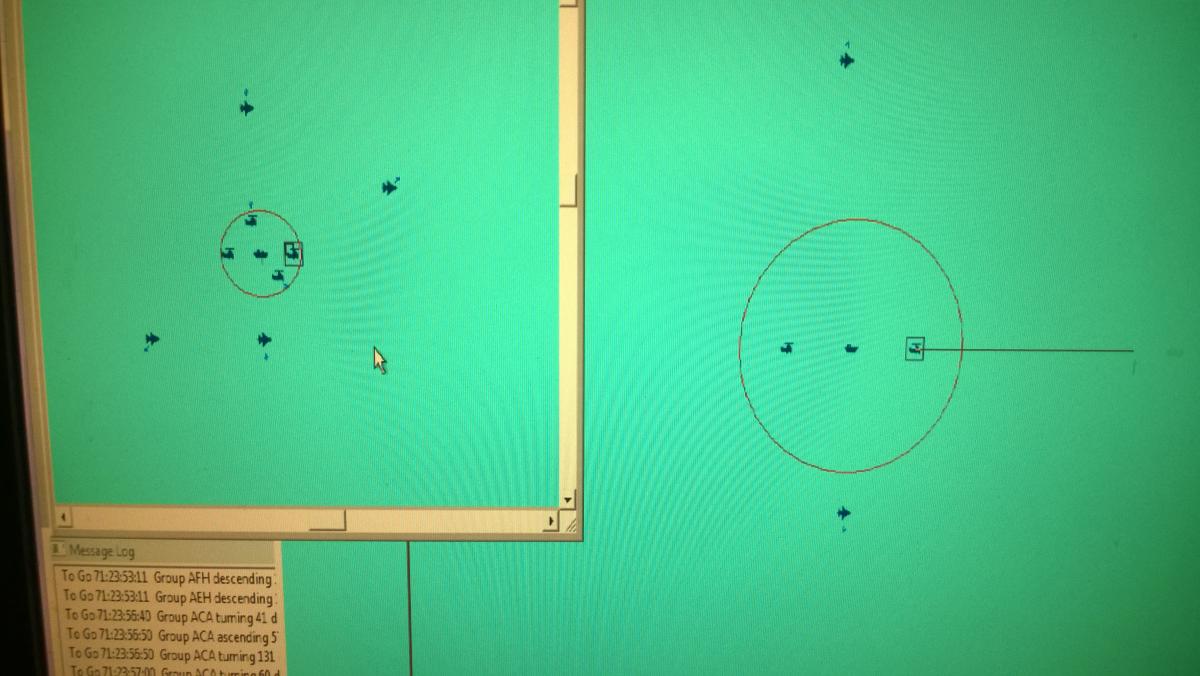
Issue Information ⦁ Issue ID #000175 ⦁ Issue Type Issue ⦁ Severity 0 – None Assigned ⦁ Status 21 - Fix Coded ⦁ Version ⦁ Fixed in Weapons range rings missing on aircraftPosted by Tony on 05 January 2017 - 03:29 PM I recently finished reloading HCE to my computer after the 2017 expiration date. The following is the update path I used 2007.00 Disk 2008.24 2008.44 2009.50 2015.27 Matix patch 2016.11 2016.03 When I resumed playing I notice lauched aircraft showed range rings for sensors but the weapons range rings were missing thought on ships and bases all rings showed up. I the tested first by lauching formation aircrft including helo and fix winged and repeated the process with patrols. The rings would only show up after I separated the aircraft out of formation or split the patrol aircraft. I was using the latest databases and tested seperately with version 2016.11 and then loaded 2016.03 which are the latest for a stable beta. Both had the same results. I made a file containing a test scenerio I used and four picture files showing the group and unit map after each occurance. Note weapons range rings were on at time air surface and asw. 1 Shows initial lauch of formation and patrol aircraf. 2 Shows rings appearing after patrol aircraft are split. 3 Shows only formation aircrft left in air but patorls RTB 4 Shows when formation aircraft were split from carrier group and rings appear. Sorry TonyE I could fine not issues similiar to this one but I probably missed it Issue-175-Weapons-range-rings-missing-on-aircraft.pdf Ringtest.zip Ringtest 2.zip


-
Issue Information ⦁ Issue ID #000165 ⦁ Issue Type Issue ⦁ Severity 0 – None Assigned ⦁ Status 21 - Fix Coded ⦁ Version 2017.001 ⦁ Fixed in 2017.002 Anti-surface AGM-114M missile IR/Laser guidance weird behaviourPosted by broncepulido on 06 November 2016 - 10:12 AM Playing the Red Sea Sharks scenario. When approaching to attack some Yemeni ports with MH-60S with AGM-114M, a weird result. - Attack a single MANPADS site not attached to any Port installation: no problems. - Attack a single MANPADS site, but attached as part/formation of a Port: I get the "target no radiating" promt in the essays of attack in the attribution of missiles to targets windows., and no attack possible The same income as in the attached test scenario with a MH-60R (with the same loadout, but equipped with radar, in case was that the issue, but not). If MANPADS is attached to a ship group (Exocet TEL), the outcome firing with MH-60S/AGM-114M outcome are very similar. Attached test scenarios "Test AGM-114M" and "Test AGM-114M with Exocet TEL" and savegames near to target: - Very simple test scenario, USS Ponce attacking with MH-60S and MH-60R, both with the same loadout with 8xAGM-114M. - Second scenario adding Exocet TEL to verify the case with MANPADS attached to ship group. Issue-179-Tankers-will-not-Seperate-From-Group-at-Bingo-Fuel.pdf Air to Air Refueling.zip
-
Issue Information ⦁ Issue ID #000179 ⦁ Issue Type Issue ⦁ Severity 0 – None Assigned ⦁ Status 21 - Fix Coded ⦁ Version 2016.003 ⦁ Fixed in 2017.005 Tankers will not Seperate From Group at Bingo FuelPosted by eeustice on 19 February 2017 - 03:13 PM Launched an ASW Group with Tankers. There were 5 P-8A's and 5 KC-45A's. When Tankers got to Bingo fuel they would not separate from air group Attached is the scenario file. A saved game at 11 % to Bingo Fuel, A saved game at 8% Bingo fuel, and a file at 10% Bingo fuel and a copy of my Fictional database. Please let me know if you need any additional info. Thanks, Eric Issue-179-Tankers-will-not-Seperate-From-Group-at-Bingo-Fuel.pdf Air to Air Refueling.zip