



Leaderboard
-
donaldseadog
Members2Points1,458Posts -
TonyE
Staff Pukes1Points5,091Posts


Popular Content
Showing content with the highest reputation on 11/01/2023 in Posts
-
1 pointAnother tool at your disposal is looking at the commondb\res\annex_mags.csv to see if it is staying the same across exports.1 point
-
1 pointHINT, I switched to playing with HCCW 100110, a small DB, exports are nearly instant. I've not found any pattern but what ever the first entry it is hard to get rid of. I did once by starting at the bottom of th emagazine item list and deleting each until all deleted, export and no magaine items. When I repopulated it the order came back with the original first item, not the order in which I entered them. This is totally bizarre to me.1 point
-
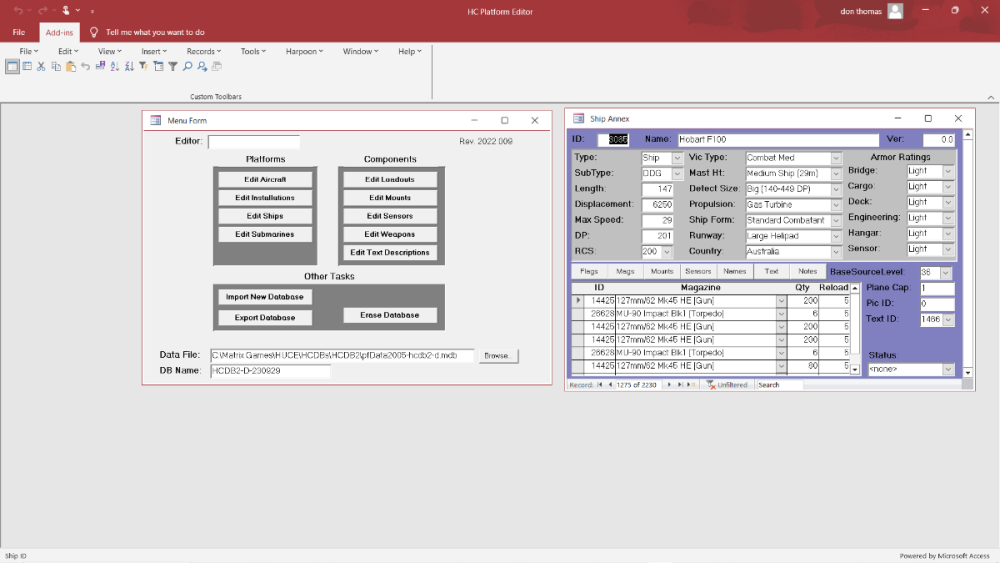
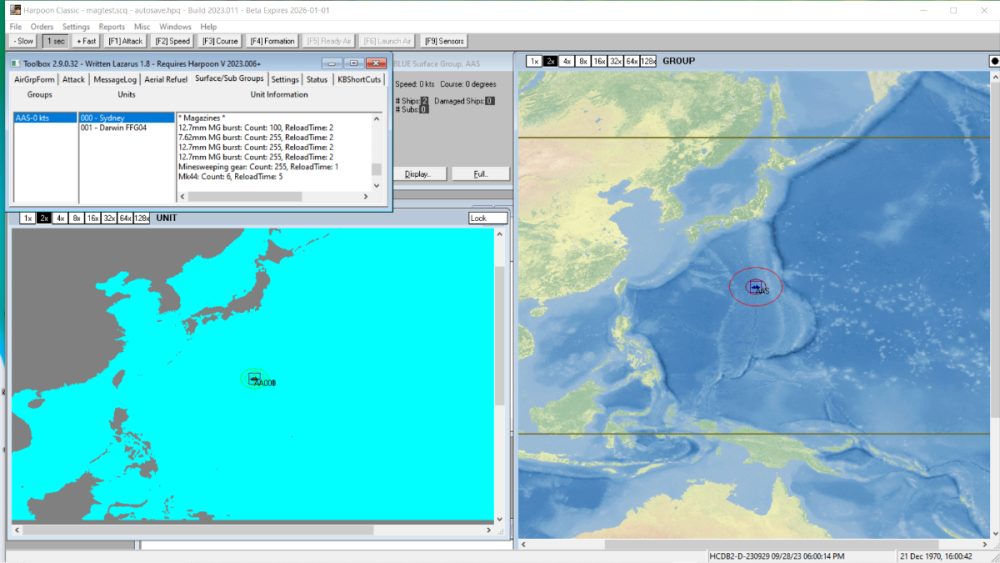
1 pointThis is the PE view of magazine for my Hobart F100s, but one export of the database had the magazine corrupted, yet another export of the database and the new (in theory identical I believe) database is good (for Hobart F100). I don't know what is happening
 1 point

