



Leaderboard
-
TonyE
Staff Pukes1Points5,091Posts -
maunaloa6174
Members1Points6Posts


Popular Content
Showing content with the highest reputation on 11/15/2021 in all areas
-
1 pointHello, I'm a huge fan of the Harpoon game series. I have almost all editions in my collection (You can see it on pictures attached). I have a few questions about this great game that, despite having searched the web, haven't found an answer: The first question is about the game Harpoon. Has Harpoon Designers' Series III ever been released as a standalone game or only in the Harpoon Classic collection? Never seen it on ebay or amazon Was Harpoon 2: Battleset 4: Regional Conflicts 2 and 3 released as a standalone game or only as Harpoon 2 Deluxe Multimedia Edition? Today I've just bought Harpoon 2: Battleset 4 Regional Conflicts 1, and I'm just curious if other parts were published separately... Do any of You have any of the parts that are missing in my collection: Harpoon 3 Pro, Harpoon Advanced Naval Warfare, Harpoon Commanders Edition? These are very hard to find anywhere... If You are wiling to sell, contact me. Best regards and greetings from Poland to all Harpoon fans!

 1 point
-
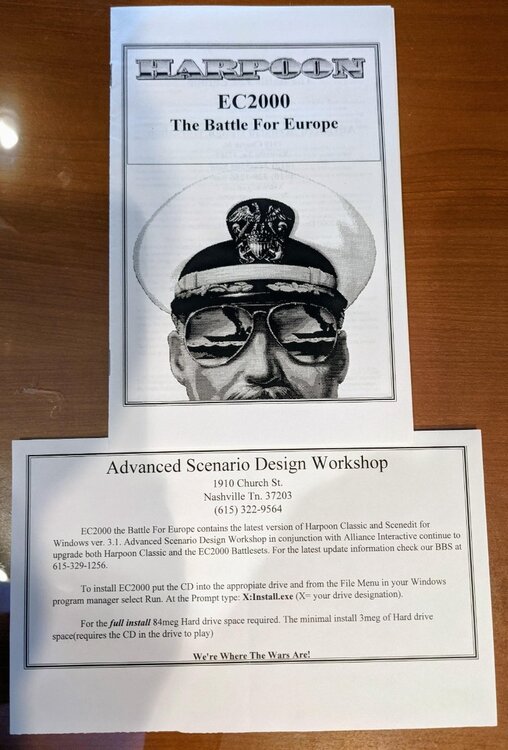
1 pointI found a Commander's Edition DVD case included printed manual but only one so I don't want to sell that. I did not find any ANW DVDs, may have given them away already in a downsizing of the collection. Looking through my artifacts did make me notice that you don't seem to have WinHarp with EC2000. It was a release that came out almost the same time as HC97 except it was the 16-bit game engine in concert with the EC2000 BattleSets rather than HC97's 32-bit game engine. I don't have the CD handy but have attached a photo of the booklet cover and insert describing the BattleSets and game improvements.
 1 point
