




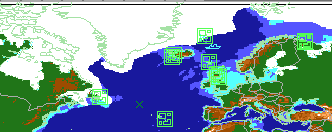
The End of the Cold War
Something went entirely wrong, and it happened so fast that nobody could recall immediately when and where it started. The Soviets were under the impression that NATO was preparing for an attack on the motherland and decreed that securing Iceland for a prolonged war was vital to victory; thus they mobilized each operational vessel in the Northern Fleet and managed to occupy the Faroes as a prelude. NATO then, too, scrambled every available asset in the North Atlantic, and when the first shot (a nuclear-tipped torpedo) was fired and sank a Dutch frigate, all hell broke loose.
These scenarios have been tested with the Harpoon 3.6 game engine, but not Harpoon: ANW. No warranty or representation regarding compatibility or function with ANW is given or implied.
This scenario requires the Y2k Database which can be found:
http://www.harpoonhq.com/harpoon3/scenario...2000v10_0_0.zip
What's New in Version 11/06/2008 10:01 AM
Released
No changelog available for this version.