

Skip to content
View in the app

A better way to browse. Learn more.

HarpGamer

A full-screen app on your home screen with push notifications, badges and more.

To install this app on iOS and iPadOS
  1. Tap the Share icon in Safari
  2. Scroll the menu and tap Add to Home Screen.
  3. Tap Add in the top-right corner.
To install this app on Android
  1. Tap the 3-dot menu (⋮) in the top-right corner of the browser.
  2. Tap Add to Home screen or Install app.
  3. Confirm by tapping Install.

CaribbeanBasin

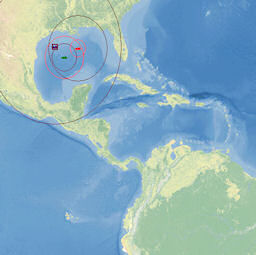
1 Screenshot

This is a shell BattleSet with no scenarios outside of a small test scenario. The BattleSet will work with HCE 2008.024 or newer.


Unzip the files into your HCE directory, then start up the game.

At the "Select Battleset" screen, choose "Caribbean Basin" and click "OK"

Choose your side and click "OK"

At the "Select Scenario" screen, click "User Scenario"

Locate "BBCARIB.SCz" and open the scenario

Choose your side and click "OK"

If you want to see the textured map but do not see it, go to the "Settings" menu, then "Game Options" and select "Textured" for both "Land Color" and "Water Color", then click "OK"

What's New in Version 06/21/2008 01:41 AM

Released

No changelog available for this version.

With version 06/21/2008 01:41 AM:

Account

Navigation

Search

Search

Configure browser push notifications

Chrome (Android)
  1. Tap the lock icon next to the address bar.
  2. Tap Permissions → Notifications.
  3. Adjust your preference.
Chrome (Desktop)
  1. Click the padlock icon in the address bar.
  2. Select Site settings.
  3. Find Notifications and adjust your preference.