




Klaus Behrmann
Members
-
Joined
-
Last visited
-
Attached is a revised version. Regards, Klaus Behrmann CWRev1.zip
-
Thanks. Haven't tried MP yet, and due to workloads expect can do this only during vacations. Maybe over Cmas?
-
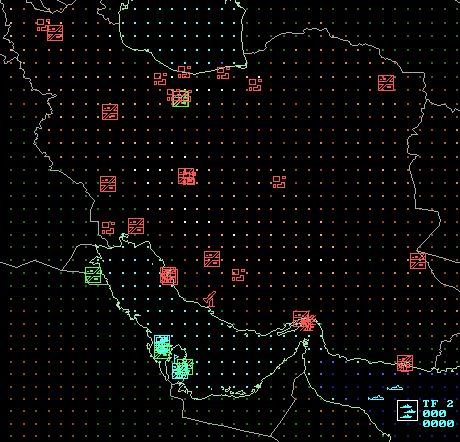 Surgical strikes against Iranian nuclear facilities by Lancers, Spirits and Night Hawks, followed by conventional mop-up strikes by the 366th Fighter Wing and a CVBG in the Arabian Sea - but with some nasty surprises for the USA. The database can be found at the page: http://www.harpoonhq.com/?page_id=5 Or directly at: http://www.harpoonhq.com/harpoon3/scenario...2000v10_0_0.zip
 -
File Name: Stealth Attack File Submitter: Klaus Behrmann File Submitted: 31 Oct 2008 File Updated: 17 Nov 2008 File Category: Scenarios DB Used: DB2000 ANW 10.0 Authors: Klaus Behrmann Battleset: No Information Surgical strikes against Iranian nuclear facilities by Lancers, Spirits and Night Hawks, followed by conventional mop-up strikes by the 366th Fighter Wing and a CVBG in the Arabian Sea - but with some nasty surprises for the USA. The database can be found at the page: http://www.harpoonhq.com/?page_id=5 Or directly at: http://www.harpoonhq.com/harpoon3/scenario...2000v10_0_0.zip Click here to download this file
-
Hi everybody! Some of you may remember me as the creator of many monster scenarios at HarpoonHQ. Well, I still love the DB2K and have written my first ANW scenario under it. How do I get it published for testing? Thanks. Cheers, Klaus Behrmann