
Skip to content
View in the app

A better way to browse. Learn more.

HarpGamer

A full-screen app on your home screen with push notifications, badges and more.

To install this app on iOS and iPadOS
  1. Tap the Share icon in Safari
  2. Scroll the menu and tap Add to Home Screen.
  3. Tap Add in the top-right corner.
To install this app on Android
  1. Tap the 3-dot menu (⋮) in the top-right corner of the browser.
  2. Tap Add to Home screen or Install app.
  3. Confirm by tapping Install.

Black Moon Sailing (2014)

1 Screenshot

Israeli forces must intercept a Turkish merchant vessel believed to be carrying weapons and other supplies for Hamas.


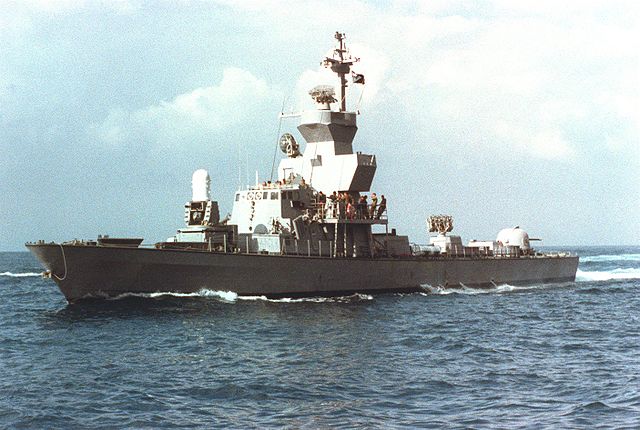
Image: A port bow view of the Israeli Navy's guided missile patrol boat INS Hetz (Sa'ar 4.5). Source: http://www.defenseimagery.mil/


Author's Note: This scenario takes advantage of the feature in H3/ANW that allows one to board and take control of a vessel without sinking it--to win this scenario, you have to complete a boarding/takeover mission (among other things); simply sinking the merchant will not be enough.


Account

Navigation

Search

Search

Configure browser push notifications

Chrome (Android)
  1. Tap the lock icon next to the address bar.
  2. Tap Permissions → Notifications.
  3. Adjust your preference.
Chrome (Desktop)
  1. Click the padlock icon in the address bar.
  2. Select Site settings.
  3. Find Notifications and adjust your preference.