
Skip to content
View in the app

A better way to browse. Learn more.

HarpGamer

A full-screen app on your home screen with push notifications, badges and more.

To install this app on iOS and iPadOS
  1. Tap the Share icon in Safari
  2. Scroll the menu and tap Add to Home Screen.
  3. Tap Add in the top-right corner.
To install this app on Android
  1. Tap the 3-dot menu (⋮) in the top-right corner of the browser.
  2. Tap Add to Home screen or Install app.
  3. Confirm by tapping Install.

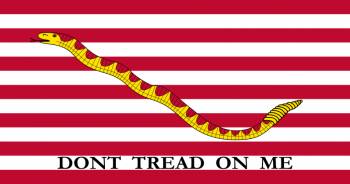
First Navy Jack

1 Screenshot

A Harpoon Commander's Edition (HCE) scenario for the Middle East Battleset.


This scenario is designed for play by the BLUE side.


In 1980, then Secretary of the Navy Edward Hidalgo directed that the US Navy ship with the longest active status should display the First Navy Jack until its departure from service. With the decommissioning of the carrier USS Kitty Hawk in May 2009, the honor of flying the First Navy Jack passed to the USS Enterprise. Now, during the final deployment of her career, the Big E has been diverted from her return voyage to take on one final mission: put an end to the carnage in Syria. The First Navy Jack will be flying high.

Account

Navigation

Search

Search

Configure browser push notifications

Chrome (Android)
  1. Tap the lock icon next to the address bar.
  2. Tap Permissions → Notifications.
  3. Adjust your preference.
Chrome (Desktop)
  1. Click the padlock icon in the address bar.
  2. Select Site settings.
  3. Find Notifications and adjust your preference.