
Skip to content
View in the app

A better way to browse. Learn more.

HarpGamer

A full-screen app on your home screen with push notifications, badges and more.

To install this app on iOS and iPadOS
  1. Tap the Share icon in Safari
  2. Scroll the menu and tap Add to Home Screen.
  3. Tap Add in the top-right corner.
To install this app on Android
  1. Tap the 3-dot menu (⋮) in the top-right corner of the browser.
  2. Tap Add to Home screen or Install app.
  3. Confirm by tapping Install.

Pledge 4: Eagles over Latakia 1982

1 Screenshot

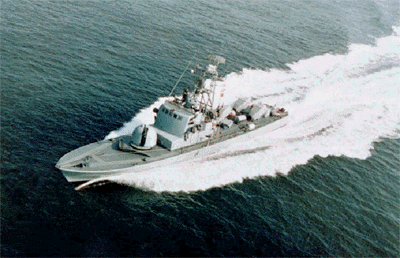
During the 1982 war with Lebanon, an Israeli task force of missile boats is ordered to destroy Syrian naval vessels based at Latakia.


(Image of a Saar 3 missile boat, by קודקוד צהוב, and "made available under the Creative Commons CC0 1.0 Universal Public Domain Dedication.")


Author's note: I had a few occasions when testing the scenario where the scenario did not load properly and made it impossible for me to launch aircraft. I believe this error has been corrected in this most recent version of the file. If the problem does crop up again, however, simply re-loading the scenario seems to solve it.)

Account

Navigation

Search

Search

Configure browser push notifications

Chrome (Android)
  1. Tap the lock icon next to the address bar.
  2. Tap Permissions → Notifications.
  3. Adjust your preference.
Chrome (Desktop)
  1. Click the padlock icon in the address bar.
  2. Select Site settings.
  3. Find Notifications and adjust your preference.