
Skip to content
View in the app

A better way to browse. Learn more.

HarpGamer

A full-screen app on your home screen with push notifications, badges and more.

To install this app on iOS and iPadOS
  1. Tap the Share icon in Safari
  2. Scroll the menu and tap Add to Home Screen.
  3. Tap Add in the top-right corner.
To install this app on Android
  1. Tap the 3-dot menu (⋮) in the top-right corner of the browser.
  2. Tap Add to Home screen or Install app.
  3. Confirm by tapping Install.

WWII skirmish

1 Screenshot

Something to start playing with the great WWs database, not included in this download, get the latest HCWW from the database downloads. If you're new to changing databases read the instructions attached to that download to ensure you don't loose your standard database.

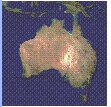
In this scenario two conflicts are taking place on either side of Australia, one above (what I guess is ) the Coral Sea, one in the east indian ocean approaching Perth.

There may be some problems still being ironed out with this but the game can still be played and you can get a feel for big naval guns and little pea shooter AAWs.

Have fun.

Don Thomas

What's New in Version 08/11/2009 03:10 AM

Released

No changelog available for this version.

With version 08/11/2009 03:10 AM:

Account

Navigation

Search

Search

Configure browser push notifications

Chrome (Android)
  1. Tap the lock icon next to the address bar.
  2. Tap Permissions → Notifications.
  3. Adjust your preference.
Chrome (Desktop)
  1. Click the padlock icon in the address bar.
  2. Select Site settings.
  3. Find Notifications and adjust your preference.