
Skip to content
View in the app

A better way to browse. Learn more.

HarpGamer

A full-screen app on your home screen with push notifications, badges and more.

To install this app on iOS and iPadOS
  1. Tap the Share icon in Safari
  2. Scroll the menu and tap Add to Home Screen.
  3. Tap Add in the top-right corner.
To install this app on Android
  1. Tap the 3-dot menu (⋮) in the top-right corner of the browser.
  2. Tap Add to Home screen or Install app.
  3. Confirm by tapping Install.

It gets hot

1 Screenshot

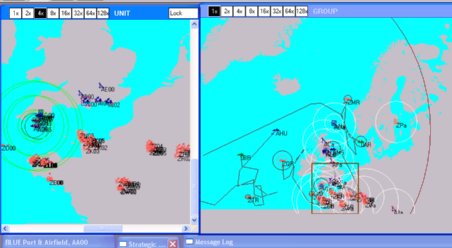
A second scenario in the line where France retaliates against the UK for dropping the European alliance in the war with the USA.

An intense air battle over the English channel with a few ships to add to the list of targets.

EC2003 battle set and HCDB-100308 database.

Updated 3 june 2010 to make you work a little harder to get victory. :D

Updated again 11 june due to unexpected problem with victory condition.

What's New in Version 06/11/2010 08:44 AM

Released

No changelog available for this version.

Account

Navigation

Search

Search

Configure browser push notifications

Chrome (Android)
  1. Tap the lock icon next to the address bar.
  2. Tap Permissions → Notifications.
  3. Adjust your preference.
Chrome (Desktop)
  1. Click the padlock icon in the address bar.
  2. Select Site settings.
  3. Find Notifications and adjust your preference.