
Skip to content
View in the app

A better way to browse. Learn more.

HarpGamer

A full-screen app on your home screen with push notifications, badges and more.

To install this app on iOS and iPadOS
  1. Tap the Share icon in Safari
  2. Scroll the menu and tap Add to Home Screen.
  3. Tap Add in the top-right corner.
To install this app on Android
  1. Tap the 3-dot menu (⋮) in the top-right corner of the browser.
  2. Tap Add to Home screen or Install app.
  3. Confirm by tapping Install.

Kangaroo (BS Australia, DB HC_65to80_DB)

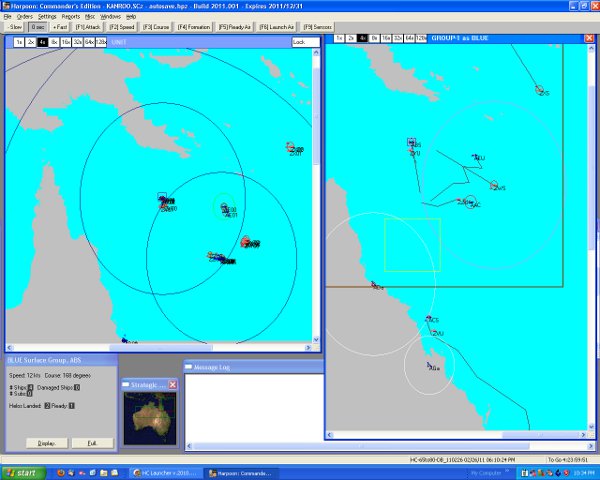
1 Screenshot

Kangaroo Exercises

A scenario for HCE utilising the database HC_65to80_DB_110226 (by divefreak)

and battleset Australia (by donaldseadog)


An early - mid 1960s small scale joint Naval exercise (Australia/USA/NZ) off the Australian coast proximate the Coral Sea. Things go wrong when a USSR shadow gets in the firing line.


Australian, USA and NZ joint naval exercises have been progressing for ten days of the Australian Great Barrier Reef and into the Coral Sea.

Two days of continuous at sea replenishment exercises completed 24 hours ago and two surface groups are preparing to conduct warfare exercises.

The replenishment group is returning to Brisbane via the 'tight' “inside passage” of the Great Barrier Reef....

Account

Navigation

Search

Search

Configure browser push notifications

Chrome (Android)
  1. Tap the lock icon next to the address bar.
  2. Tap Permissions → Notifications.
  3. Adjust your preference.
Chrome (Desktop)
  1. Click the padlock icon in the address bar.
  2. Select Site settings.
  3. Find Notifications and adjust your preference.