
Skip to content
View in the app

A better way to browse. Learn more.

HarpGamer

A full-screen app on your home screen with push notifications, badges and more.

To install this app on iOS and iPadOS
  1. Tap the Share icon in Safari
  2. Scroll the menu and tap Add to Home Screen.
  3. Tap Add in the top-right corner.
To install this app on Android
  1. Tap the 3-dot menu (⋮) in the top-right corner of the browser.
  2. Tap Add to Home screen or Install app.
  3. Confirm by tapping Install.

King1ASuW 1.0.0

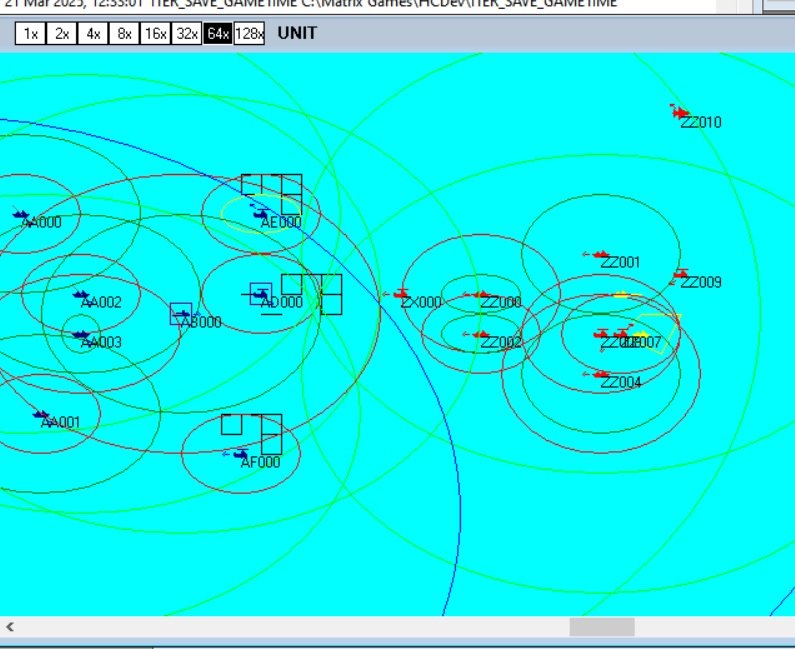
1 Screenshot

This scenario is the second in a series  in which some of the Naval Gun weapon types newly developed or being investigated are at you disposal in a large scale exercise between AUKUS members USA (Red side) and combined AU, UK and guest NZ (Blue side).
Here the Blue side has HMAS Hobart played by an Indian type 15B DDG that includes a 127/64 Oto LW mount with extended range and guided Vulcano weapons.

Compare this with the realistic Hobart included in scenario #1 of the King Series (KingASW)


Account

Navigation

Search

Search

Configure browser push notifications

Chrome (Android)
  1. Tap the lock icon next to the address bar.
  2. Tap Permissions → Notifications.
  3. Adjust your preference.
Chrome (Desktop)
  1. Click the padlock icon in the address bar.
  2. Select Site settings.
  3. Find Notifications and adjust your preference.