




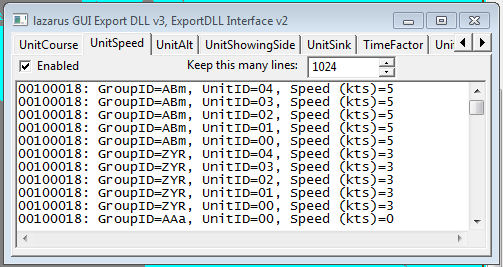
Demonstration DLL and source of the ExportDLL interface. This will be expanded as time permits, both in functionality and documentation.
Installation:
Extract the DLL to the ExportDLLs folder of your HCE game, then restart the game. You can delete License.txt and lazGUI.txt.
Edit the source. Use Lazarus 1.6+ win32.
Source code now available from SVN, see the following with your favorite client:
https://tarzan.tgp.net/svn/StratsimsOSS/HC/ExportDLLs/lazGUI/trunk
What's New in Version 036
Released
lazGUI 20250529 HC 2025.020+
Incremented DLL Version to 36
Incremented DLL Interface version to 44
Demonstrate grabbing ExitGame from funcRefs. Added ExitGame button
to Game Time/Investigate Structures tab.
Demonstrate grabbing SaveGame from funcRefs. Added filename edit
to Save Game tab.
lazGUI 2025#### HC 2025.013+
Incremented DLL Version to 35
Incremented DLL Interface version to 43
Added StoreConsumed call which tells ExportDLLs when weapons/stores
have been fired/released/used.
// ALE 20250301 void dllexStoreConsumed(UnitPtr pLaunchUnit, MntRecPtr pLaunchMount, ushort ourMount, uchar mountIndex, ushort pQty, UnitPtr pWeapUnit, UnitPtr pTargetUnit, GroupPtr pTargetGroup) // ALE 20250228 tell ExportDLL when we use a weapon/store
procedure StoreConsumed(pLaunchUnit: PHCUNIT; pLaunchMount: PHCMntRec; ourMount: ushort; mountIndex: uchar; pQty: ushort; pWeapUnit: PHCUNIT; pTargetUnit: PHCUNIT; pTargetGroup: PHCGROUP); export; cdecl;
Fixed crash bug in Staff if unit_involved is nil
Doesn't seem to work...
Demonstrate using ZoomWindow from funcRefs.